
Best HVAC Scheduling Software for Contractors in 2026
By SubcontractorHub Editorial Team·Published June 2026 · Updated July 2026

Quick Answer
The best HVAC scheduling software for installation contractors in 2026 is SubcontractorHub — not because it has the most complex dispatch board, but because it connects scheduling to every other part of your business. When a job closes in Sales Velocity, it automatically creates a scheduled project in Project Management — with all the proposal details, customer info, and scope already loaded. No re-entry. No dropped handoffs. No separate scheduling tool to sync. Book a demo to see the workflow in under 30 minutes.
Every HVAC contractor eventually runs into the same scheduling problem: a job closes, and nobody told the operations team. A crew shows up without the right equipment. A permit inspection gets missed because it was in someone's email. A customer calls for an update and gets routed to three different people.
Better scheduling software doesn't just fix dispatch. It fixes the entire chain from sale to installation — which is why this guide focuses on scheduling as part of a complete workflow, not as a standalone feature.
Why HVAC Contractors Need More Than a Dispatch Board
Service-call software — HouseCall Pro, Jobber, ServiceTitan — was built around reactive dispatch: a customer calls, a tech goes out, the job is done in two hours. That workflow works for tune-ups and repairs.
Installation jobs are a completely different animal. A residential HVAC replacement might involve:
- A multi-day installation window across two or three crews
- Equipment delivery coordination that needs to land before Day 1
- Permit filing and inspection scheduling with the municipality
- Financing approval tracking that must clear before work starts
- Customer communication milestones so nobody goes dark for a week
A dispatch board designed for one-hour service calls handles none of this well. That's the gap SubcontractorHub's HVAC platform was built to fill.
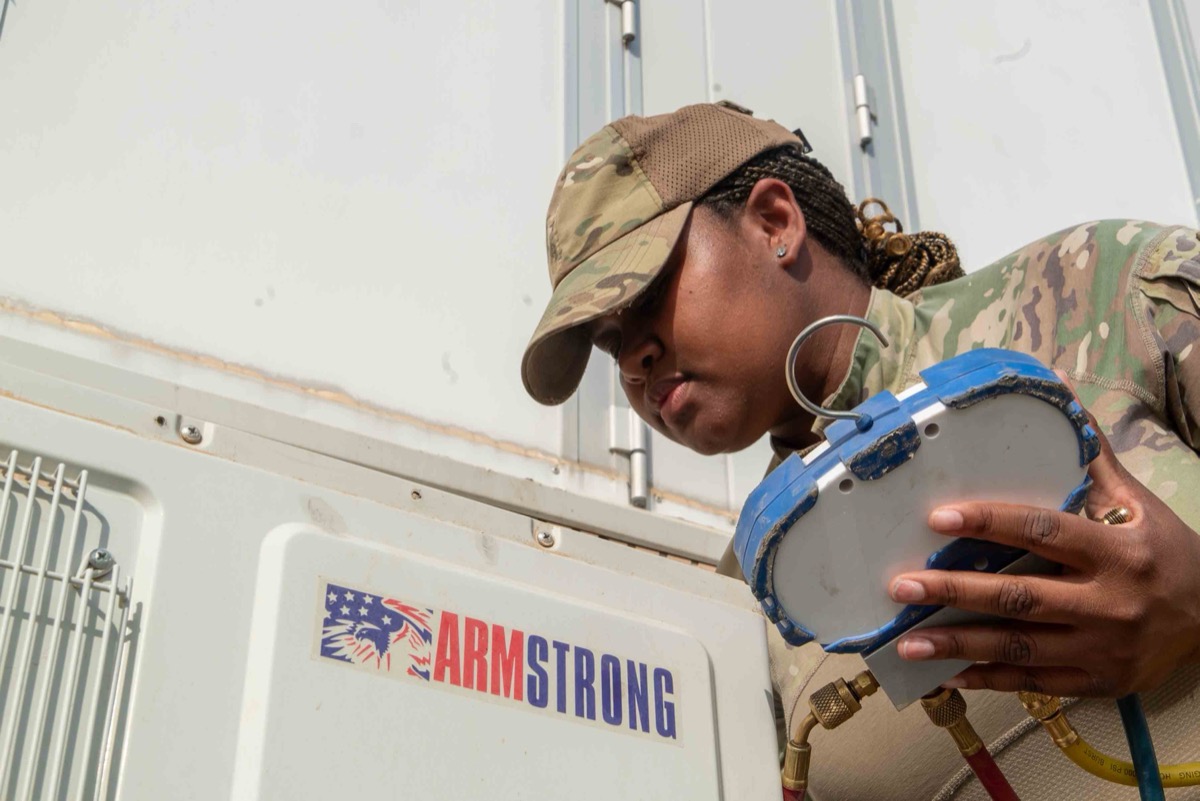
Effective HVAC job scheduling keeps installation crews coordinated across multi-day projects without manual check-ins.
5 Things to Evaluate in Any HVAC Scheduling Tool
- Does it connect to your sales pipeline? If scheduling is disconnected from your CRM, your ops team is copying data by hand every time a job closes. That's where mistakes happen. The best HVAC scheduling software creates the scheduled project automatically from the signed contract — no re-entry, no dropped details.
- Can it handle multi-phase installation timelines? A single job might have a rough-in day, a finish day, and an inspection day weeks apart. Your scheduling tool needs to model that — not just a single appointment slot. Look for drag-and-drop scheduling on a visual board so managers can shift jobs as capacity changes.
- Do field crews get real-time job updates on mobile? Scheduling only works if the crew sees the schedule. A mobile app that surfaces work orders, site addresses, and scope details — without a call to the office — is non-negotiable for any modern HVAC operation.
- Can you track job status without asking your crew? Milestone updates — equipment delivered, rough-in complete, inspection passed — should flow back to the office automatically from the field, not via text message.
- What does real-time capacity look like for managers? A sales manager needs to know how many installs ops can absorb before booking more jobs. Your scheduling software should show that in real time, not after a Monday morning meeting. For businesses with service agreements on top of installations, this capacity view becomes even more critical.
SubcontractorHub
See How Top Contractors Close More Jobs
AI proposals, sales pipeline, and project management — all in one platform.
- ✓AI-powered proposals in the field
- ✓CRM built for contractor sales
- ✓Project tracking from sale to install
30 minutes. No commitment.
Head-to-Head Comparison: Top HVAC Scheduling Platforms in 2026
Platform-by-Platform Breakdown
ServiceTitan
Pros: Deep scheduling and dispatch functionality; strong for high-volume service businesses; robust reporting for large fleets of technicians.
Cons: Pricing starts at $200–$500 per technician per month and requires a lengthy sales process to get a number; 6–8 week implementation is standard; the platform is optimized for reactive service calls, not installation project management. See our full ServiceTitan alternatives breakdown.
HouseCall Pro
Pros: Clean, easy-to-learn interface; affordable for small teams; solid online booking and customer communication features.
Cons: Built almost entirely around single-visit service calls; no meaningful project management for multi-day installations; no built-in sales pipeline or proposal tool; financing is not native. See our full HouseCall Pro alternatives breakdown.

The best HVAC scheduling software gives field technicians mobile app access to work orders and job details without calling the office.
Jobber
Pros: Well-designed, intuitive interface; good mobile app; solid client management and invoicing for small contractors.
Cons: Scheduling is primarily designed for recurring service visits, not installation project timelines; no native AI proposals or embedded financing; limited pipeline visibility for sales managers. See our full Jobber alternatives breakdown.
Why SubcontractorHub Wins for HVAC Installation Scheduling
The problem with most HVAC scheduling tools isn't the scheduling itself — it's the handoff. A job closes in the CRM and someone has to manually create the scheduled job in a separate system. That re-entry step is where errors happen, where details get dropped, and where the customer experience falls apart.
SubcontractorHub eliminates the handoff entirely.
When a rep closes a job in Sales Velocity, every detail from the EasyQuote proposal — equipment, scope, customer address, financing approval status — flows directly into a project record. Operations gets a fully-loaded job ready to schedule, not a piece of paper or a forwarded email.
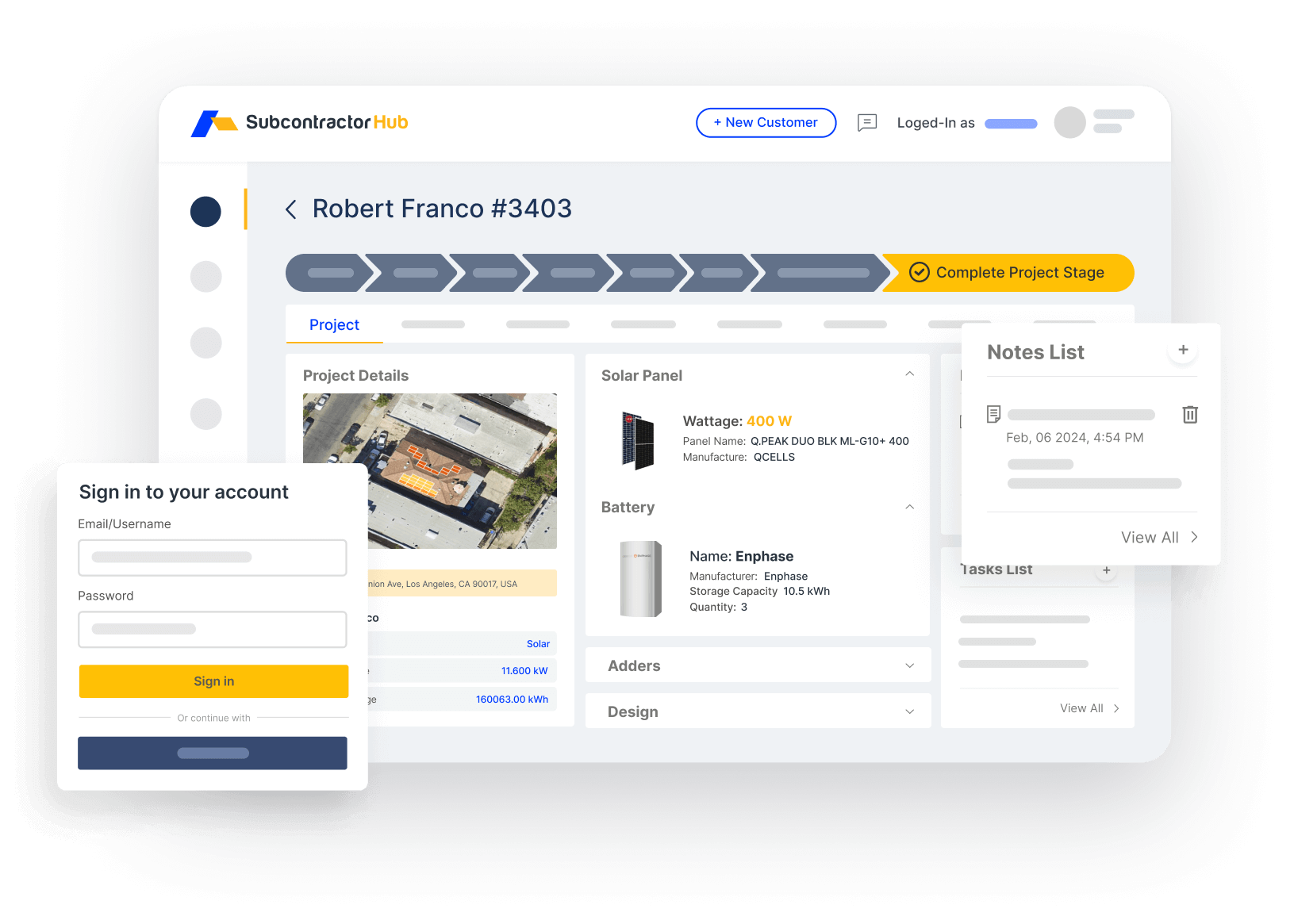
Sales Velocity: every closed HVAC job becomes a scheduled project automatically — zero re-entry
Project Management handles the installation timeline from there. Crews see their schedules on mobile. Milestone updates — equipment delivered, rough-in complete, inspection scheduled — flow back to the office in real time. Managers see the status of every active job without making a single phone call.
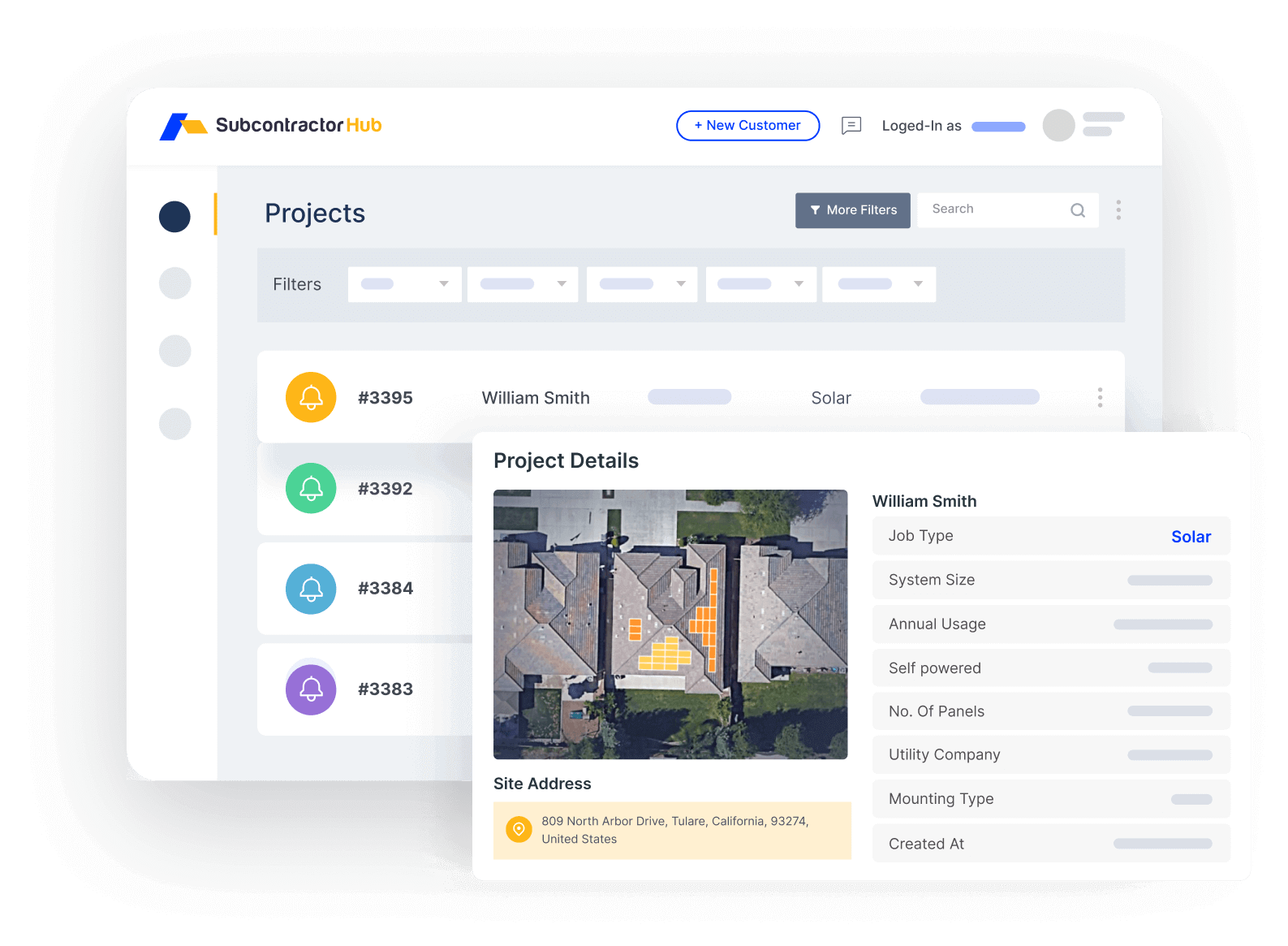
Project Management: multi-phase HVAC installation scheduling with real-time crew updates
For sales managers, the other half of the scheduling equation is capacity. Before booking the next batch of jobs, you need to know how many installs your ops team can absorb. SubcontractorHub surfaces this in the same dashboard — no separate spreadsheet, no Monday morning capacity meeting.
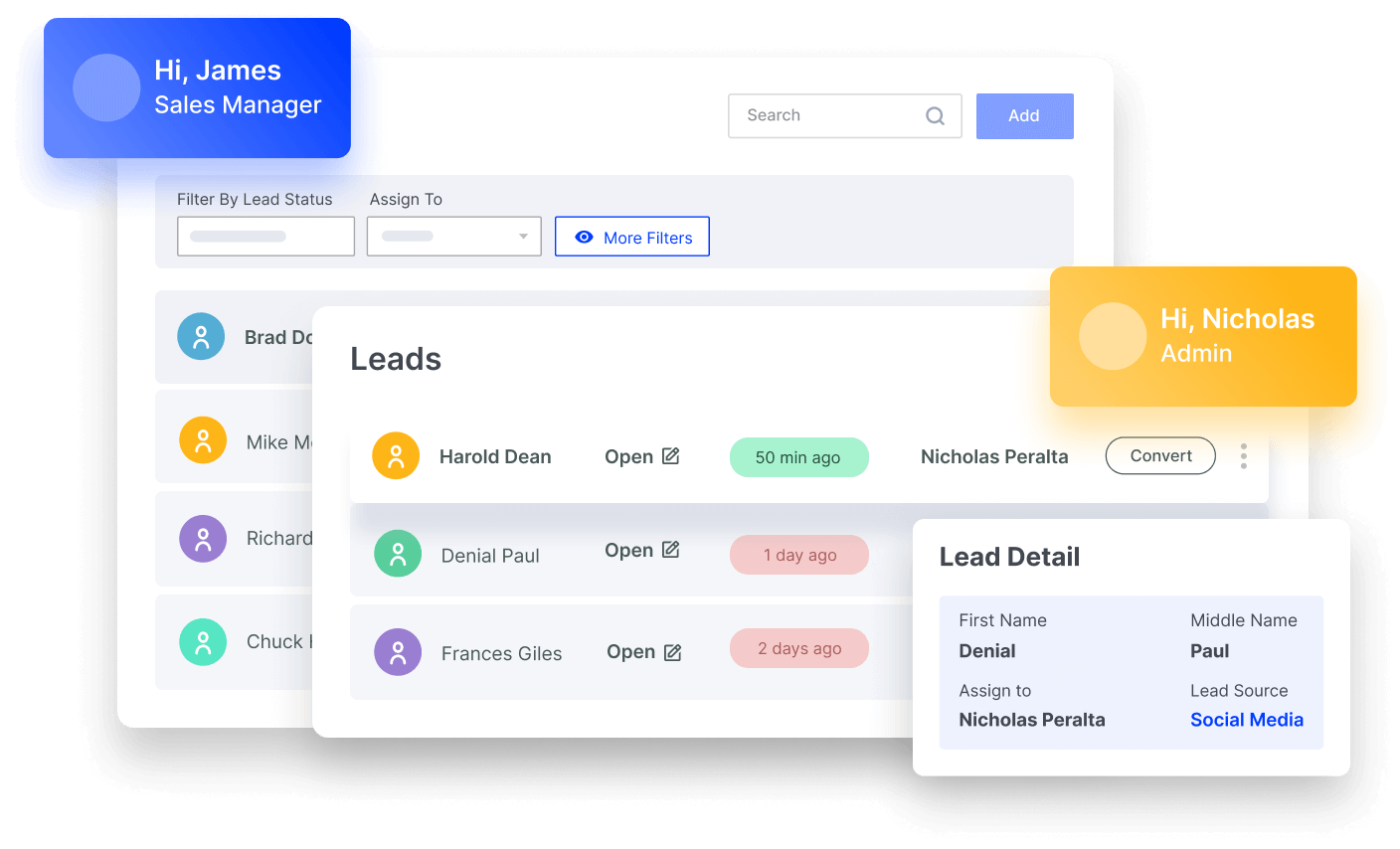
EasyQuote: AI-assisted HVAC proposals with financing options — close on-site, schedule from the same platform
For HVAC contractors who also run roofing or solar, the multi-trade support means your entire installation schedule — across every vertical — lives in one view. One platform. One login. No switching tools by trade.

Seamless HVAC dispatching and customer communication keeps homeowners informed from proposal to completed installation.
Who SubcontractorHub Is NOT For
SubcontractorHub is built for installation businesses. It is not the right tool if:
- You run a pure service-call business. If your jobs are predominantly under 4 hours with no multi-phase installation, HouseCall Pro or Jobber will cost less and serve you fine.
- You are a solo operator. The platform is designed for teams with reps, project managers, and field crews. The ROI compounds with scale.
- You are already deeply embedded in ServiceTitan. If you have 3+ years of customer history and extensive custom workflows in ServiceTitan, migration cost is a real consideration. SubcontractorHub is often a better fit for contractors switching off ServiceTitan than those starting fresh.
- You need a standalone scheduling app only. If estimating, CRM, and project management are already solved tools you won't replace, a simpler dispatch board like Google Calendar or a basic field service app may be sufficient.
Frequently Asked Questions
What is the best HVAC scheduling software for contractors in 2026?
For HVAC installation contractors who need scheduling as part of a broader platform — proposals, CRM, financing, and project management — SubcontractorHub is the best choice in 2026. For pure service-call dispatch with no sales pipeline, ServiceTitan or HouseCall Pro are established options, though both carry significant cost and complexity.
What is the difference between HVAC scheduling software and field service management software?
HVAC scheduling software covers how you assign technicians, book appointments, and manage job timelines. Field service management is a broader category that also handles invoicing, parts inventory, and customer history for reactive service calls. For installation contractors, you also need project management — tracking multi-phase jobs, equipment delivery, inspections, and permit milestones — which most standalone scheduling tools do not handle.
Is ServiceTitan worth it for smaller HVAC contractors?
ServiceTitan is designed for high-volume service businesses running 30 or more technicians. For smaller or growth-stage HVAC contractors, the per-technician pricing (typically $200–$500/technician/month) and 6–8 week implementation rarely justify the cost. Platforms like SubcontractorHub offer faster onboarding and lower total cost for contractors scaling from 5 to 30 crews.
Can HVAC scheduling software handle both service calls and installation jobs?
Most can handle basic scheduling for both, but the workflow requirements differ significantly. Service calls are short, reactive, and need fast dispatch. Installation jobs span multiple days, require permit tracking, equipment delivery coordination, and crew milestone updates. SubcontractorHub is built specifically for installation scheduling — multi-stage project timelines, not just dispatch boards.
What should HVAC scheduling software integrate with?
At minimum, your HVAC scheduling software should connect to your CRM, your proposals tool, and your project management system. The best platforms — like SubcontractorHub — build all of this natively so integrations are not required and data flows automatically from sale to scheduled install.
How much does HVAC scheduling software cost in 2026?
Pricing spans a wide range in 2026. Entry-level service-dispatch tools like Jobber start around $49/month and HouseCall Pro runs roughly $49–$129/month, but neither handles multi-day installation project management. Enterprise dispatch platforms like ServiceTitan run $200–$500 per technician per month with a 6–8 week implementation. Installation-focused platforms such as SubcontractorHub are priced by workflow rather than per seat and are quoted per contractor — book a demo for a number tailored to your crew count and verticals.
Related Resources
- → HVAC Contractor Software
- → Best HVAC CRM Software in 2026
- → Best HVAC Dispatch Software in 2026
- → Best HVAC Work Order Software in 2026
- → Best HVAC Business Management Software in 2026
What SubcontractorHub Does for HVAC Contractors
If you're running an HVAC installation business and your scheduling is disconnected from your sales pipeline, SubcontractorHub was built to solve exactly that. Book a demo and we'll walk you through a live workflow: AI proposal, closed job, auto-scheduled install, real-time crew updates — in under 30 minutes.
Book a DemoHVAC Software, Scheduling, Contractor Tools