
Best CRM for HVAC Companies: An Honest HVAC CRM Software Guide (2026)
By SubcontractorHub Editorial Team·Published June 2026 · Updated August 2026

Quick Answer
The best HVAC CRM software in 2026 is SubcontractorHub for HVAC installation contractors who need AI quoting, a full sales pipeline, and project management in a single platform. For pure service-call businesses (repair, maintenance, tune-ups only), Housecall Pro or Jobber are solid lower-cost options — but neither handles the full installation lifecycle. If your team sells and installs systems, SubcontractorHub's HVAC platform was built for exactly that workflow. Book a demo to see it live.
HVAC contractors have two fundamentally different businesses operating under the same license: a service business that dispatches techs to repair units and perform maintenance, and an installation business that runs a sales team, closes multi-thousand-dollar replacement jobs, and manages multi-day projects with permits, equipment orders, and inspections.
Most HVAC CRM tools were built for the first half of that equation. This guide covers all six major platforms — what each one actually handles, where the gaps are, and which tool makes sense depending on how you make most of your money.
Why HVAC Contractors Need a Purpose-Built CRM
Generic CRMs — Salesforce, HubSpot, even Pipedrive — were designed for B2B software sales cycles. HVAC is completely different: you're managing inbound service calls, D2D and canvassing leads for replacements, system-specific proposals, equipment procurement, subcontractor crews, permits, inspections, and manufacturer warranties — all simultaneously across multiple active jobs.
A purpose-built HVAC CRM needs to handle:
- Lead-to-close pipeline for replacement jobs: tracking system-age assessments, proposals sent, financing applications, and follow-ups without losing a replacement opportunity to a slow response
- AI-assisted proposal generation: building accurate system replacement quotes in the field — not from memory or a price sheet — before the customer talks to a competitor. Strong HVAC estimating and quoting tools are what separate winning reps from losing ones.
- Financing integration: presenting payment options at point of sale, because most residential HVAC replacements are financed and the conversation closes faster when you can show monthly cost in the same step as the proposal
- Installation project management: permitting, equipment ordering, crew scheduling, and inspection tracking after the job is sold — not just a calendar booking
- Multi-trade support: for contractors adding solar or roofing without wanting to manage a second platform
Beyond installation sales, the best HVAC CRM software also helps teams manage hvac maintenance agreements — scheduling recurring tune-ups, tracking service history for each piece of equipment, and using that data to generate timely replacement proposals when a system is approaching end of life.
The platforms that genuinely cover all of this are rare. Most HVAC software tools excel at service dispatch and fall short at the installation sales cycle. That gap is exactly where SubcontractorHub's HVAC platform was built to operate.

The best HVAC CRM software streamlines the homeowner consultation — from system assessment to signed proposal in a single visit.
6 Features That Separate Real HVAC CRM from Field Service Apps
The HVAC software market has a labeling problem. Dozens of apps call themselves “HVAC CRM software” when they're actually HVAC field service or dispatch tools. Before you compare pricing, make sure the platform actually has these six capabilities:
Feature 01
A real sales pipeline — not a job list
A pipeline shows every lead at a named stage (Assessment → Proposal Sent → Financing Applied → Closed), with automated follow-up and rep-level metrics. A job list shows booked work. Most HVAC service apps only have the latter.
Feature 02
Field proposal builder with good-better-best options
The proposal needs to work on a tablet at the customer's home — without cell service if needed. It should generate multiple system tiers with accurate equipment pricing, not a generic quote template. The best tools embed financing options on the same screen so the customer can compare monthly payment instead of sticker price.
Feature 03
Post-sale installation project management
Closing a $12,000 system replacement is the beginning, not the end. Permit filing, equipment ordering, install crew scheduling, inspections, and commissioning should all track inside the same platform — not in a separate spreadsheet or a second app.
Feature 04
Equipment and service history per property
When a service tech finds a 15-year-old R-22 system, they need to pull up the equipment record, see the service history, and instantly generate a replacement proposal. That handoff from service to sales is where replacement revenue lives or dies.
Feature 05
Flat-rate pricebook with technician mobile access
Every tech in the field needs to price repairs consistently. A flat-rate pricebook — visible on their phone — eliminates quote variance across your team and makes it easier to present replacement vs. repair comparisons at the point of service.
Feature 06
Multi-trade architecture (if you plan to grow)
Switching CRMs mid-growth is expensive and disruptive. If there's any chance you'll add solar or roofing, pick a platform that supports multiple trades from day one so you're not migrating again in 18 months.
5 Questions to Ask Before You Choose HVAC CRM Software
- Is it built for installations or service calls? This is the most important distinction. Service-call platforms close the job when the invoice is sent. Installation platforms manage everything that happens between “sold” and “commissioned” — and that gap can be 2–6 weeks for a full system replacement.
- Does it have a real sales pipeline? Many HVAC tools show a job list — that's not a pipeline. A real CRM gives you visual stage tracking, automated follow-up sequences, and rep-level performance metrics so managers know which leads are going cold before they're lost.
- How does the proposal get built? The best tools generate a branded, system-specific proposal on a tablet in the field — with financing options embedded. Ask every vendor to show you the actual proposal output before signing.
- What does the real per-seat cost look like at scale? ServiceTitan quotes per-technician. Jobber and Housecall Pro price per user tier. Service Fusion charges flat monthly for unlimited users. Run the math at your actual team size before comparing “starting from” prices.
- Can it grow with you into solar or roofing? Switching CRMs mid-growth costs money and disrupts your team. A multi-trade platform from day one avoids that entirely.
See EasyQuote Build a Proposal Live
30 minutes. We'll walk through an AI-assisted HVAC system proposal — from in-home assessment to signed contract — live on a tablet.
Book a Free Demo →SubcontractorHub
See How Top Contractors Close More Jobs
AI proposals, sales pipeline, and project management — all in one platform.
- ✓AI-powered proposals in the field
- ✓CRM built for contractor sales
- ✓Project tracking from sale to install
30 minutes. No commitment.
Head-to-Head Comparison: Top HVAC CRM Platforms in 2026
The table below compares all six major platforms across the features that matter most to HVAC contractors. Note the split between installation-focused tools (SubcontractorHub, ServiceTitan) and service-focused tools (Housecall Pro, Jobber, FieldPulse, Service Fusion).
Which HVAC CRM Is Right for Your Business?
The best HVAC CRM depends almost entirely on how you make money. Answer one question honestly: does the majority of your revenue come from service calls and maintenance, or from selling and installing new systems? That answer points you to a different set of platforms.
Small Service Shop
1–5 techs, mostly repair and maintenance. Revenue is service calls, tune-ups, and maintenance agreements.
→ Housecall Pro or Jobber
Simple setup, affordable pricing, no mandatory onboarding. You don't need a sales pipeline — you need clean dispatch and invoicing.
Installation-Led Business
5–25 reps, active replacement sales team. Revenue is system installs sold in the field.
→ SubcontractorHub
AI quoting, full sales pipeline, multi-stage installation PM, and financing integration in a single platform. Built for this exact model.
Mid-Size Service Operation
10–30 techs, high service call volume, cost-sensitive. Mostly repair, with occasional installs.
→ Service Fusion
Flat monthly pricing ($149–$399/mo) with unlimited users. As your team grows, you don't pay more per seat. Better economics than per-tech pricing.
Enterprise Call Center Model
50+ techs, dedicated dispatch staff, multiple locations. Service volume is the core business.
→ ServiceTitan
The most mature call center and dispatch tools in the market. Worth the $15,000+ onboarding if you have the volume to justify it.
SubcontractorHub for HVAC
Your CRM, quoting tool, and PM software — in one platform
AI proposals in the field. Full sales pipeline. Multi-stage installation project management. Built for HVAC contractors who sell and install systems.
Platform-by-Platform Breakdown
ServiceTitan
Pros: The most comprehensive HVAC platform for large operations — strong dispatch center tools, deep call tracking, robust reporting, and a mature integration ecosystem. For companies running 20+ technicians with dedicated dispatch staff, ServiceTitan's call center capabilities are genuinely powerful. It also offers solid HVAC scheduling software features for high-volume service teams managing dozens of daily calls.
Cons: Pricing starts at $300–$500+ per technician per month with mandatory onboarding fees of $15,000–$25,000. No multi-trade support for solar or roofing. Installation project management is not its primary strength. See our ServiceTitan alternatives breakdown.
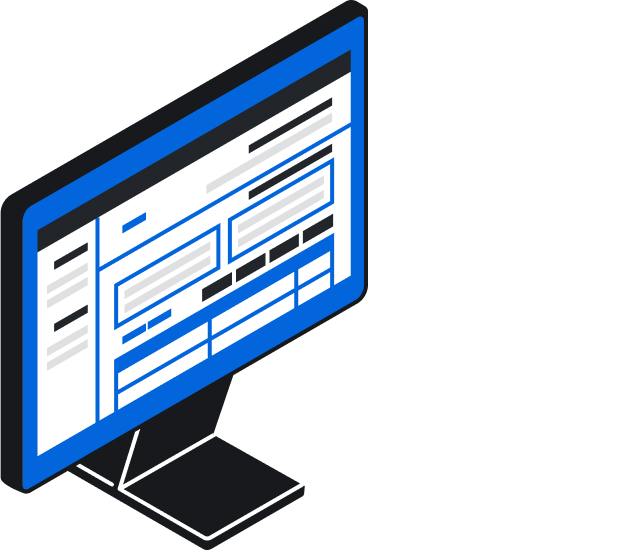
ServiceTitan's CRM and sales management interface — powerful at scale, but designed for large operations with 20+ technicians. Image: ServiceTitan.com
Housecall Pro
Pros: Well-designed for small HVAC service businesses. Strong customer communication features — automated booking confirmations, review requests, and technician GPS tracking. Approachable pricing for solo operators and small teams. Its dispatching and HVAC invoicing workflows are clean and easy for technicians to use in the field.
Cons: Built entirely for service calls. No installation project management, no multi-stage pipeline for replacement jobs, no AI quoting for system proposals. Contractors running D2D sales teams will quickly hit a ceiling. See our Housecall Pro alternatives breakdown.

Housecall Pro's job management and scheduling interface — clean and efficient for service-call operations. Image: HousecallPro.com
Jobber
Pros: Clean interface, easy onboarding, good client communication automation. At $69–$349/month, accessible for smaller HVAC teams. Solid for quoting service work and scheduling maintenance visits.
Cons: No installation project management, no AI quoting, no pipeline CRM with stage tracking. Jobber manages booked jobs well — it does not manage the sales process from lead to close. See our Jobber alternatives breakdown.
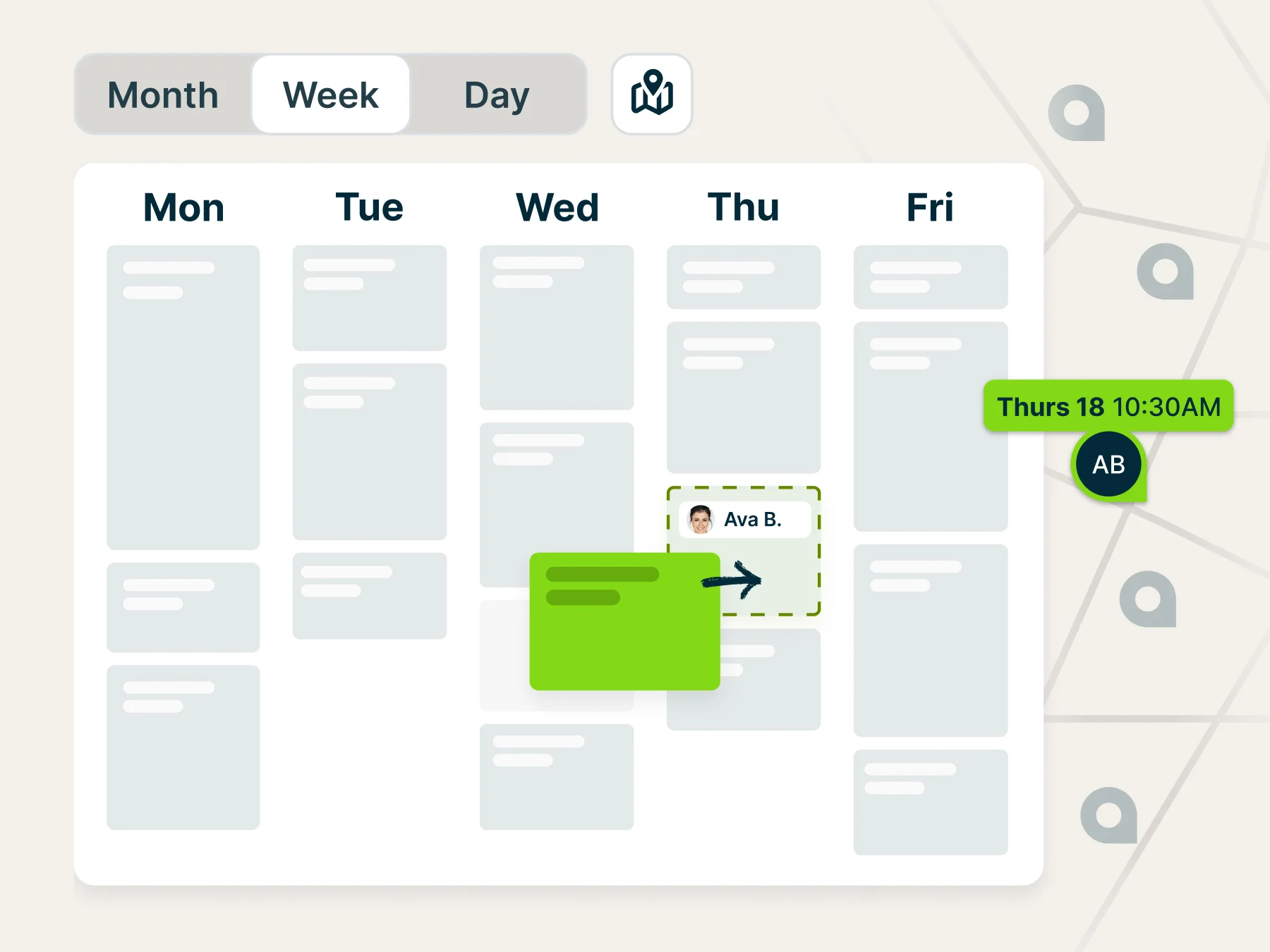
Jobber's scheduling and dispatch calendar — straightforward and easy to adopt for small HVAC service teams. Image: GetJobber.com
FieldPulse
Pros: Modern, clean interface that small HVAC service teams find easier to adopt than older platforms. Strong flat-rate pricebook, QuickBooks sync, and customer management. Starting at $99/month, it's an affordable alternative to Housecall Pro with slightly deeper job costing and subcontractor tools. Customer portal lets homeowners approve estimates and pay invoices online.
Cons: No AI quoting, no installation project management, no multi-trade support. The sales pipeline is rudimentary — good for tracking service quotes, not for managing a replacement sales team across multiple stages. Contractors running D2D reps or dedicated salespeople closing system installs will outgrow it quickly.
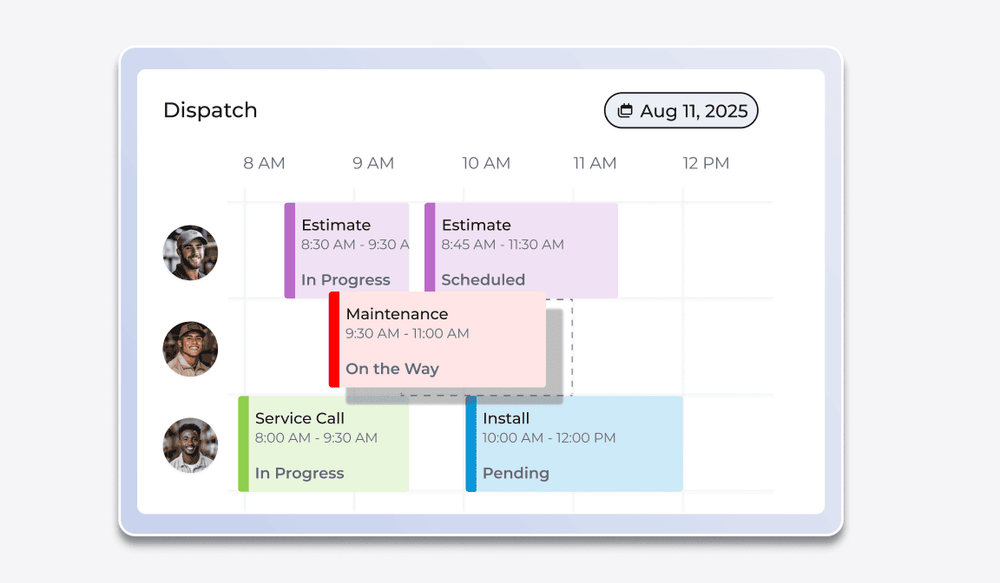
FieldPulse's scheduling and dispatch interface — modern UI designed for small-to-mid HVAC service teams. Image: FieldPulse.com
Service Fusion
Pros: Flat monthly pricing with unlimited users — $149–$399/month regardless of headcount. For mid-size HVAC service companies with 10–30 technicians, that pricing model becomes significantly cheaper than per-seat alternatives. Capable dispatch board, GPS fleet tracking, customer history, and a customer-facing portal. Decent work order management for service-heavy operations.
Cons: The interface feels dated compared to newer platforms. No AI quoting, no installation project management, no multi-trade support. The CRM functionality is basic — customer records and job history rather than a true sales pipeline. For replacement-focused contractors, Service Fusion will hit the same ceiling as Housecall Pro.
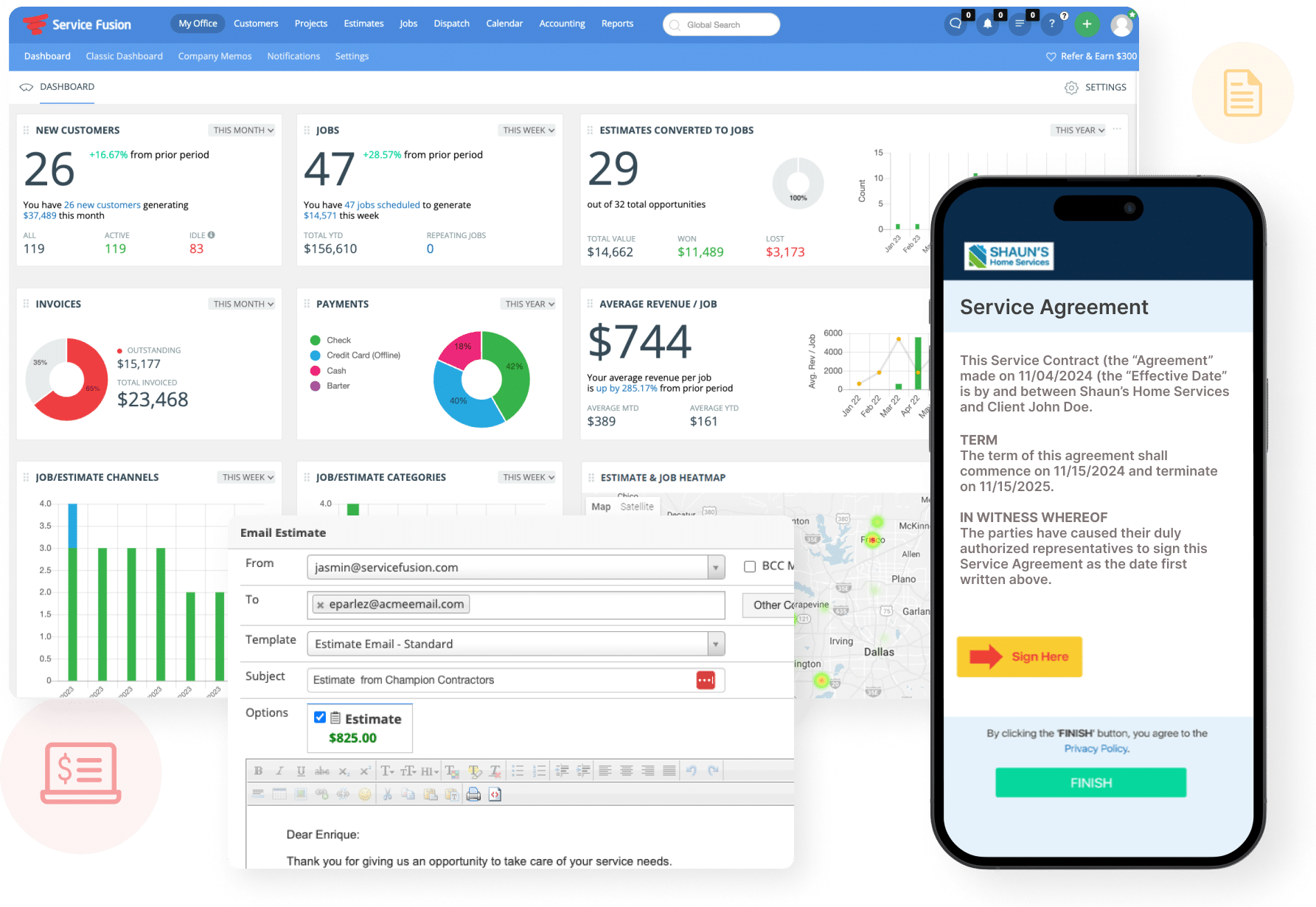
Service Fusion's all-in-one dashboard — flat monthly pricing with unlimited users makes it cost-effective as your team scales. Image: ServiceFusion.com

A strong HVAC mobile app lets technicians build proposals, capture signatures, and process invoices without leaving the job site.
Why SubcontractorHub Wins for HVAC Installation Contractors
Most HVAC contractors running a meaningful installation business are operating three or four separate tools: a CRM for leads, a quoting tool, a project management app, and something for invoicing. Every time data moves between those tools — from “sold” to “scheduled” to “installed” — something can get lost, re-entered incorrectly, or delayed.
SubcontractorHub was built to close that gap.
EasyQuote generates AI-assisted system replacement proposals before the rep leaves the customer's home — accurate equipment pricing, multiple system options, built-in financing, all on a tablet in the customer's living room.
EasyQuote: generate AI-assisted HVAC proposals before leaving the customer's home
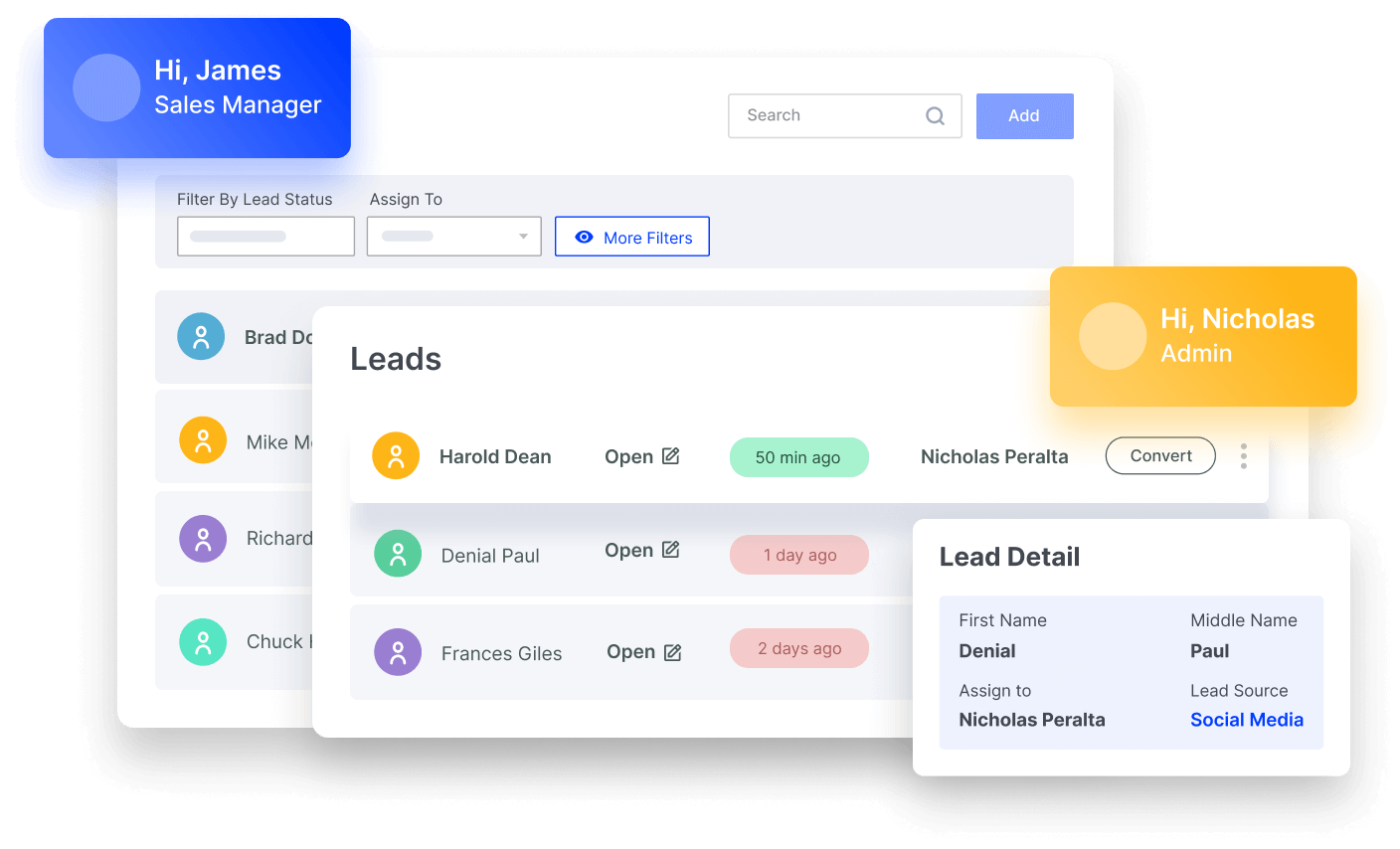
Sales Velocity gives HVAC sales teams a real pipeline — visual stage tracking, automated follow-up sequences, and rep performance dashboards — so you know which replacement leads are going cold before they're lost to a competitor.
Sales Velocity: track every HVAC replacement lead from first contact to signed contract
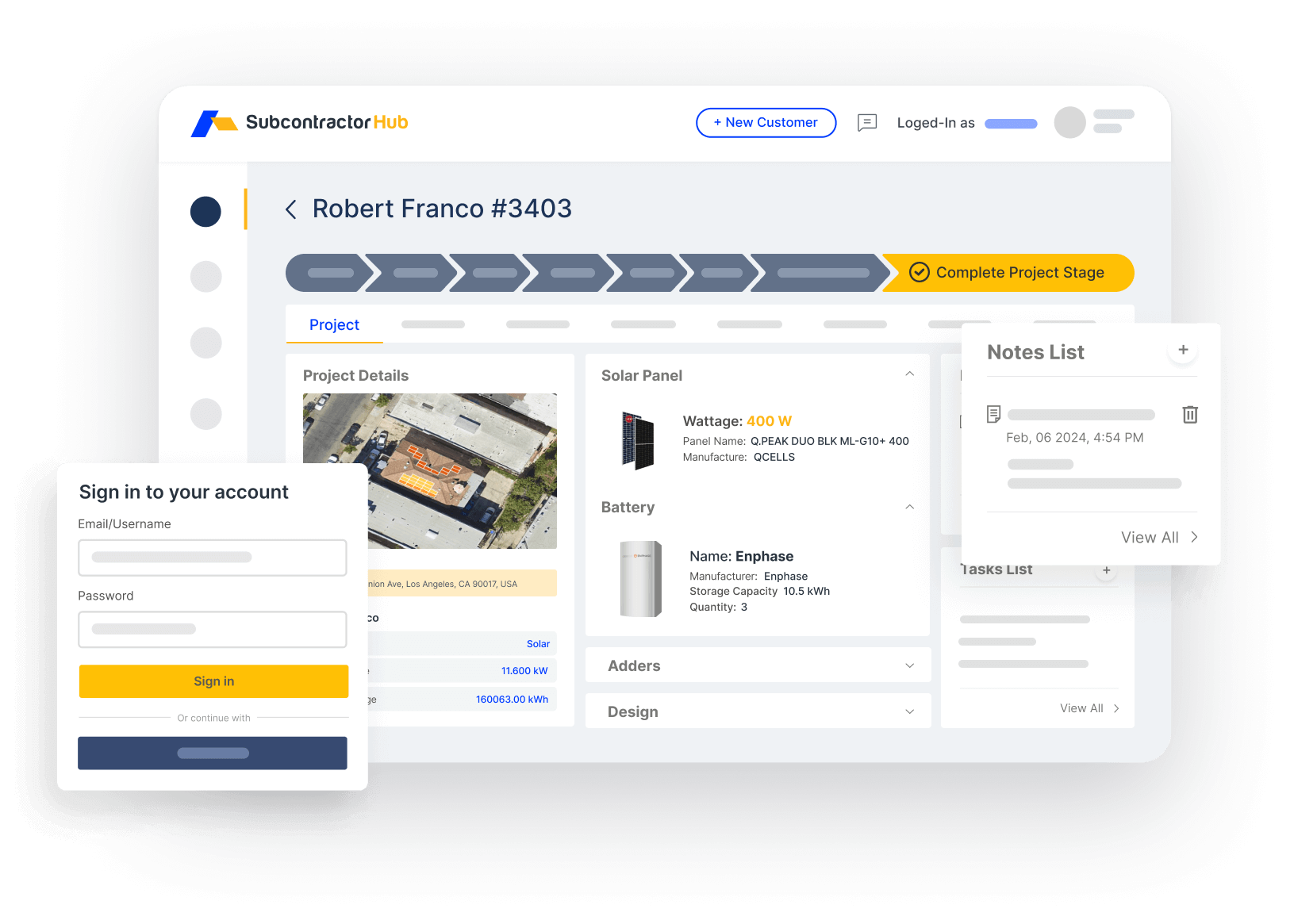
Project Management takes over the moment a system replacement is sold. Equipment orders, permit filing, installation crew scheduling, inspections, and commissioning are tracked inside the same platform — no data re-entry, no dropped handoffs.
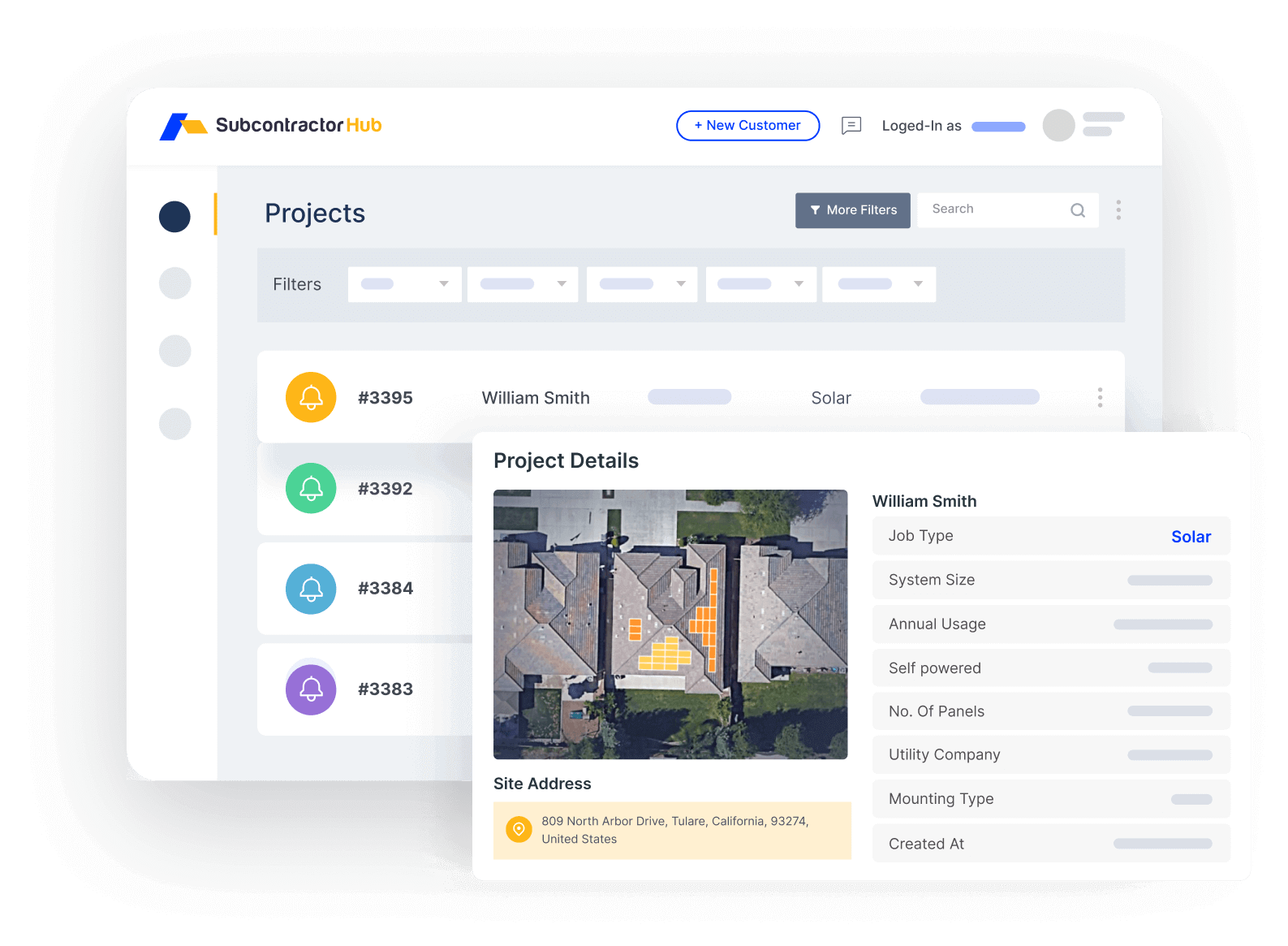
Project Management: track every HVAC installation from sold to commissioned
For HVAC contractors adding solar or roofing, the multi-trade architecture means your team already knows the tool when the new trade goes live. No second platform, no duplicate data.
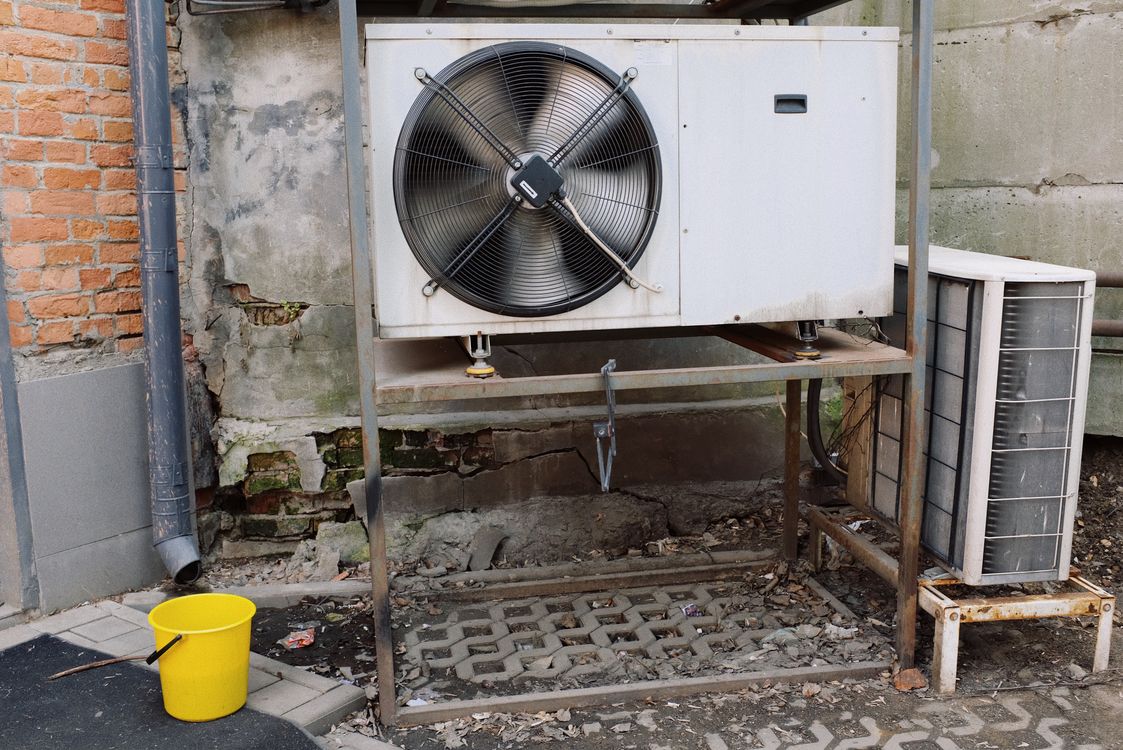
Proper HVAC equipment tracking in your CRM ensures every condenser, air handler, and part arrives before the crew does.
The Real Cost of HVAC CRM Software: What You'll Actually Pay
Most HVAC CRM pricing pages don't tell the full story. ServiceTitan's “starting price” doesn't include the $15,000–$25,000 mandatory onboarding fee that every new customer pays before they can use the platform. Housecall Pro's “$49/month” is for a single user with no team features. Here's a more honest cost comparison for a 5-person HVAC team:
ServiceTitan's mandatory onboarding fee alone ($15,000–$25,000) exceeds the entire two-year software cost of Housecall Pro, Jobber, or FieldPulse for a small team. The fee pays for ServiceTitan's dedicated implementation team — which you genuinely need, because the platform is that complex to configure. It's a justified cost for a 30+ tech operation. For a 10-person team, it's hard to justify.
Not sure what SubcontractorHub costs for your team size?
We price based on team size and trades. No mandatory $15k onboarding fee — book a demo and get exact numbers in under 30 minutes.
See Pricing →Book a Demo →Who SubcontractorHub Is NOT For
- Pure service-call HVAC businesses. If 90% of your revenue is repair and maintenance with no installation sales team, Housecall Pro or Jobber will cover your needs at a lower price point.
- Solo technicians. The platform is built for teams — sales reps, project managers, install crews. ROI compounds with headcount.
- High-volume call center operations. If your business runs 50+ service calls per day, ServiceTitan's call center tools are more mature. SubcontractorHub is optimized for installation sales cycles, not dispatch volume.
Common Mistakes When Choosing HVAC CRM Software
Most HVAC contractors who end up switching platforms again within 18 months made one of these mistakes the first time:
- Choosing for service when they're actually installation-led. Housecall Pro and Jobber have the largest marketing budgets in HVAC software. Contractors who primarily run replacement sales end up on these tools because they're the first result, then discover 6 months in that there's no real pipeline or installation PM. Always evaluate based on your revenue mix, not brand familiarity.
- Not accounting for onboarding costs. ServiceTitan buries the mandatory $15,000–$25,000 onboarding fee in later sales conversations. Get the total Year-1 cost in writing before comparing platforms side by side.
- Picking a single-trade tool before adding solar or roofing. If there's any chance you'll offer multiple trades in the next two years, the cost of switching tools mid-growth — migrating data, retraining your team, rebuilding workflows — is far higher than picking a multi-trade platform upfront.
- Evaluating the demo instead of the real workflow. Ask every vendor to walk you through exactly how a replacement lead moves from first contact to signed proposal to scheduled crew to commissioned job. If any of those steps requires a workaround, a spreadsheet, or a second tool, that's your answer.
Frequently Asked Questions
What is the best CRM for HVAC contractors in 2026?
For installation-led HVAC businesses, SubcontractorHub combines AI quoting, a full sales pipeline, and multi-stage project management in one platform. For pure service-call operations, Housecall Pro or Jobber are simpler, lower-cost options. For mid-size service companies concerned about per-seat pricing, Service Fusion's unlimited-user model is worth evaluating.
What is the best HVAC CRM for small businesses?
For small HVAC service businesses (1–5 techs, mostly repair and maintenance), Housecall Pro or Jobber offer the best value — simple interfaces, affordable pricing, and no mandatory onboarding fees. FieldPulse is a modern alternative starting at $99/month. For small installation-led businesses building a replacement sales team, SubcontractorHub was designed for that model from day one.
What is the difference between HVAC CRM software and HVAC service software?
HVAC service software handles service call scheduling, technician dispatch, and invoicing after a repair. HVAC CRM software manages the full replacement sales lifecycle — from lead capture through proposal, financing, and installation project management. SubcontractorHub covers both but excels at the installation CRM workflow.
Does HVAC CRM software work for solar and roofing too?
Most HVAC CRM tools are single-trade. SubcontractorHub is purpose-built for HVAC, solar, and roofing in a single login. If you cross-sell solar or want to add a roofing division, you manage all three from the same platform without switching tools.
How much does HVAC CRM software cost?
Jobber starts at $69/month, Housecall Pro from $49/month, FieldPulse from $99/month, Service Fusion from $149/month with unlimited users, and ServiceTitan at $300–$500+/technician/month with a mandatory $15,000–$25,000 onboarding fee. SubcontractorHub pricing is available on request — contact for a demo.
Can HVAC CRM software manage installation project management?
Most service-call platforms (Jobber, Housecall Pro, FieldPulse, Service Fusion) do not. SubcontractorHub tracks every installation stage — permit filing, equipment ordering, crew scheduling, inspection, commissioning — all inside the same platform where the sale was closed.
Does HVAC CRM software integrate with QuickBooks?
Most major HVAC CRM platforms integrate with QuickBooks Online. Housecall Pro, Jobber, FieldPulse, and Service Fusion all offer QuickBooks sync for invoicing and job costing. ServiceTitan has its own financial module but also supports QuickBooks integration. Contact SubcontractorHub for details on accounting integrations.
How long does it take to implement HVAC CRM software?
Jobber and Housecall Pro can be set up in 1–2 days with minimal configuration. FieldPulse and Service Fusion typically take 1–2 weeks. ServiceTitan's mandatory onboarding process takes 3–6 months — that's the primary driver of its $15,000+ setup fee. SubcontractorHub implementation typically takes 2–4 weeks depending on team size.
What data should I migrate when switching HVAC CRM software?
Prioritize migrating: customer contact records and service history, equipment records (model, serial, install date, warranty), open jobs and pending proposals, flat-rate pricebooks and labor rates, and technician certifications. Most platforms support CSV import for contacts. Equipment history and job data often require manual entry or a paid migration service — budget time for it.
Related Guides
- Best HVAC Software for Contractors in 2026
- Best HVAC Proposal Software for Contractors in 2026
- Best HVAC Scheduling Software in 2026
- Best HVAC Project Management Software in 2026
- Best HVAC Sales Software in 2026
- Best HVAC Estimating Software in 2026
- Best HVAC Lead Management Software in 2026
- HVAC Service Software — for Service-Call Operations
- HVAC Lead Management Software
- HVAC Proposal Software
- Best Housecall Pro Alternatives
- Best ServiceTitan Alternatives
- Best JobNimbus Alternatives in 2026
- Best Roofing CRM Software
- Best Solar CRM Software
- Best Contractor Proposal Software in 2026
- Best Contractor CRM Software
- SubcontractorHub for HVAC Contractors
What SubcontractorHub Does for HVAC Contractors
If you run an HVAC installation business and your CRM, quoting tool, and project management app are three different logins, SubcontractorHub was built to replace that stack. Book a demo and we'll walk through a live workflow in under 30 minutes: AI-assisted proposal, signed contract, scheduled crew.
Book a DemoHVAC Software, CRM, Contractor Tools