
Best HVAC Software for Small Business in 2026: What Actually Works at Your Scale
By SubcontractorHub Editorial Team·Published July 2026 · Updated September 2026
Quick Answer
The best HVAC software for small business in 2026 depends on what your business actually does. For installation-focused HVAC contractors running $500K–$5M in revenue, SubcontractorHub covers AI proposals, CRM, financing, and project management in one platform without ServiceTitan's enterprise cost. For pure service-call shops under 5 technicians, Housecall Pro or Jobber are faster to start on their published monthly plans. ServiceTitan is built for fleets above $3M that can absorb per-technician pricing and a paid implementation. See SubcontractorHub in 30 minutes →
The HVAC software market in 2026 is dominated by two extremes: enterprise platforms built for 50+ technician fleets, and entry-level tools built for solo operators doing tune-ups and emergency repairs. Small HVAC businesses — contractors running 3–15 people, doing system replacements, add-ons, and installations — often find themselves squeezed between options that are either too expensive or too simple.
This guide breaks down what actually works at small-business scale, what to avoid, and when it makes sense to upgrade from your current tool.
First: What Kind of Small HVAC Business Are You?
Software recommendations split sharply based on how your HVAC business actually generates revenue. Before evaluating any platform, answer this: are most of your jobs service calls (tune-ups, repairs, diagnostics) or system installations (new units, replacements, commercial projects)?
- Service-call focused (dispatching + repairs): Housecall Pro and Jobber were designed for you. Fast scheduling, mobile invoicing, route optimization, and automated reminders. If most of your revenue comes from $200–$800 service tickets, these tools handle the workflow well at low cost.
- Installation focused (proposals + multi-week jobs): SubcontractorHub is the better fit. Your needs are different — sales pipelines, on-site quoting, financing integration, and project tracking for jobs that span days or weeks. Jobber and Housecall Pro weren't built for this workflow and will force workarounds.
- Both: This is the most common real-world scenario. SubcontractorHub handles both because installation-grade project management subsumes the simpler service-call workflow — but it's not primarily a dispatch tool. If daily emergency dispatch is 80% of your volume, you'll get more from Housecall Pro supplemented with a lightweight CRM.

The right HVAC software for small business puts proposals and pipeline management in the field — where your reps actually close jobs.
SubcontractorHub
See How Top Contractors Close More Jobs
AI proposals, sales pipeline, and project management — all in one platform.
- ✓AI-powered proposals in the field
- ✓CRM built for contractor sales
- ✓Project tracking from sale to install
30 minutes. No commitment.
HVAC Software for Small Business: Side-by-Side Comparison
Platform Breakdown for Small HVAC Businesses
SubcontractorHub: Best for Small HVAC Installation Contractors
SubcontractorHub fills the gap between "starter tools" and "enterprise platforms" for HVAC contractors who sell and install. The platform combines everything a growing installation business needs — AI-assisted field proposals, a sales CRM, embedded financing through partners like GoodLeap, and installation project management — without the six-figure implementation cost that comes with ServiceTitan.
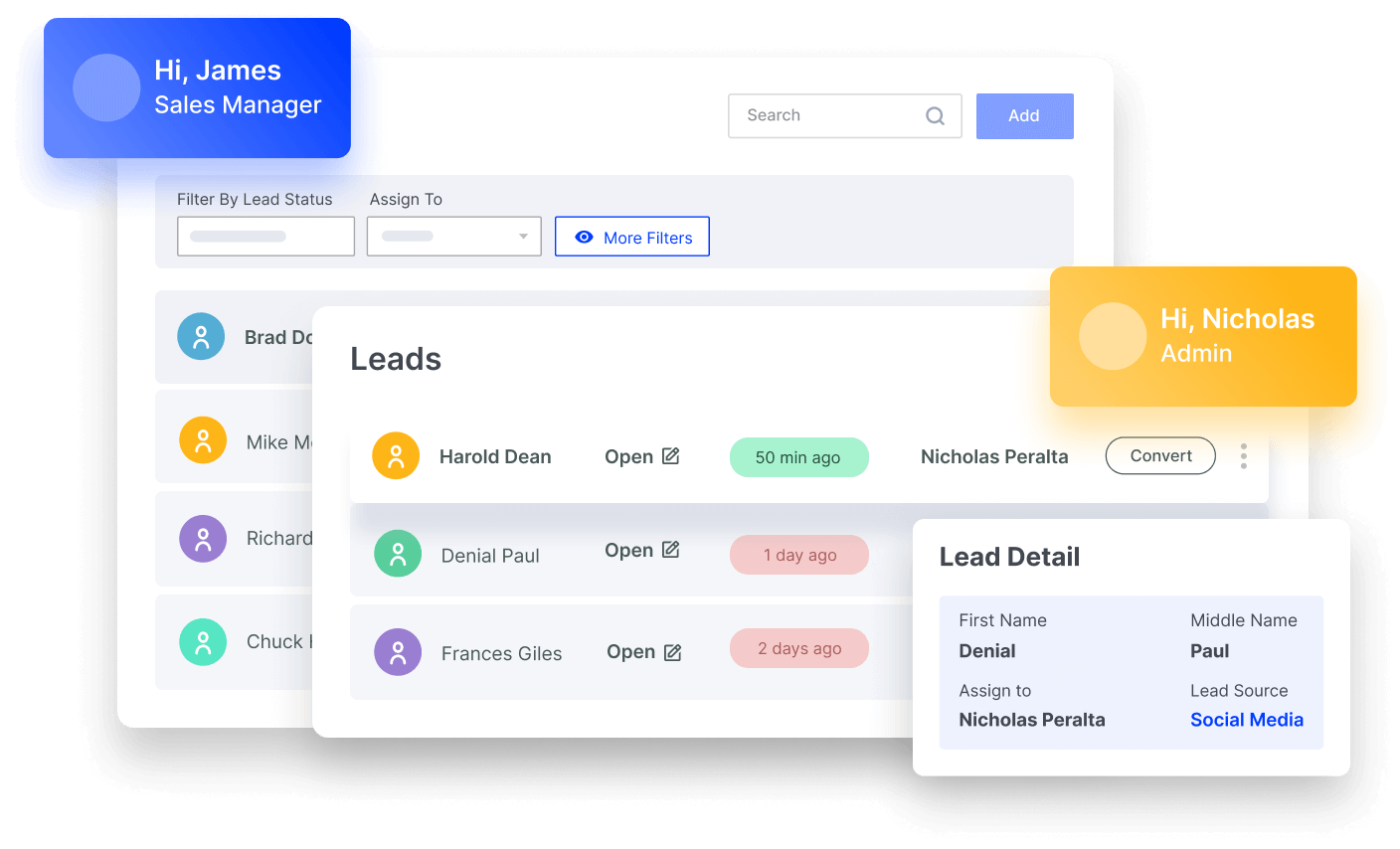
EasyQuote: HVAC reps build accurate, branded proposals on a tablet at the customer's home and collect a signature before leaving
Best for: HVAC contractors running 5–50 reps and technicians, doing system replacements or commercial installations, with revenue in the $500K–$5M range.
Pros: AI field quoting closes deals the same day. Sales pipeline gives managers real-time visibility without status meetings. Financing is embedded in every proposal — not an afterthought. Installation project management tracks every job stage from sold to inspected. Runs HVAC, roofing, and solar from one login.
Cons: Not primarily a dispatch tool for high-frequency service calls. If your operation is 90% emergency repairs with no sales team, Housecall Pro is faster to start. See SubcontractorHub for HVAC or HVAC contractor software overview.
Housecall Pro: Best for Small Service-Call HVAC Shops
Housecall Pro is one of the best-designed tools for small residential HVAC businesses focused on service calls. Drag-and-drop dispatch, automated appointment reminders, mobile invoicing, and online booking make it genuinely easy for a 2–7 person shop to look professional and stay organized. With published monthly plans and no mandatory onboarding fee, the cost-to-value ratio is hard to beat at this scale.
Best for: Solo operators to 7-tech teams running residential tune-ups, repairs, and maintenance agreements.
Limitations: Not built for installation project management or multi-stage job workflows. No AI field quoting. Most growing HVAC companies hit a ceiling with Housecall Pro within 18–24 months as installations become a larger share of revenue.

For small HVAC businesses, the ability to present financing options in the field is one of the biggest revenue levers available — it closes jobs that cash buyers would decline.
Jobber: Best for Getting Started Fast
Jobber is the easiest HVAC software to start using quickly. The interface is clean, onboarding is minimal, and its entry plans are priced for single-person operations. It handles scheduling, basic quoting, and invoicing well for service-call focused contractors. The client communication tools — automated follow-ups, appointment reminders — are notably strong.
Best for: Solo operators or very small HVAC teams (1–4 techs) getting organized for the first time.
Limitations: No visual sales pipeline or rep performance dashboards. No project management for multi-day installs. If you're generating proposals on-site and tracking $10K–$50K+ jobs through a pipeline, Jobber will feel limited quickly.
ServiceTitan: When It Makes Sense (and When It Doesn't)
ServiceTitan is enterprise HVAC software with enterprise pricing. The platform genuinely delivers for large HVAC fleets — GPS tracking, call center tools, deep accounting integration, and dispatch at scale. But ServiceTitan does not publish pricing: it is quoted per technician and typically comes with a paid implementation, which puts it out of reach for most small HVAC businesses.
Best for: HVAC companies above $3–5M in annual revenue with 20+ technicians and dedicated operations staff.
For small businesses: The ROI math rarely works. Per-technician pricing grows with every hire, which is the opposite of what a growing shop wants, so get a written quote covering per-tech fees, implementation and add-ons for your team size before comparing. If you're looking for ServiceTitan alternatives that cost less, see our full ServiceTitan alternatives breakdown.
The Upgrade Signal: When to Move Up From Starter Tools
The most common question small HVAC business owners ask isn't “which platform is best?” — it's “am I still on the right platform for where my business is going?”
Four clear signals that it's time to move past Jobber or Housecall Pro:
- Your reps are generating proposals and you can't see your pipeline. When a rep asks “where does that lead stand?” and nobody knows, you've outgrown tools that don't have a visible sales CRM.
- You're losing same-day close opportunities. If your techs go on-site, collect info, drive back to the office to build a quote, and email it three days later — you're losing jobs that field quoting would have closed on the spot.
- Financing rejections are killing deals. When a customer hears the full cash price and hesitates, you need to offer monthly payment options on the spot. If your current tool can't run a financing application at the table, you're leaving close rates on the floor.
- You're running multi-week installs through scheduling-only software. When a job spans equipment delivery, permit filing, installation crew, and final inspection — you need project management, not just a dispatch calendar.
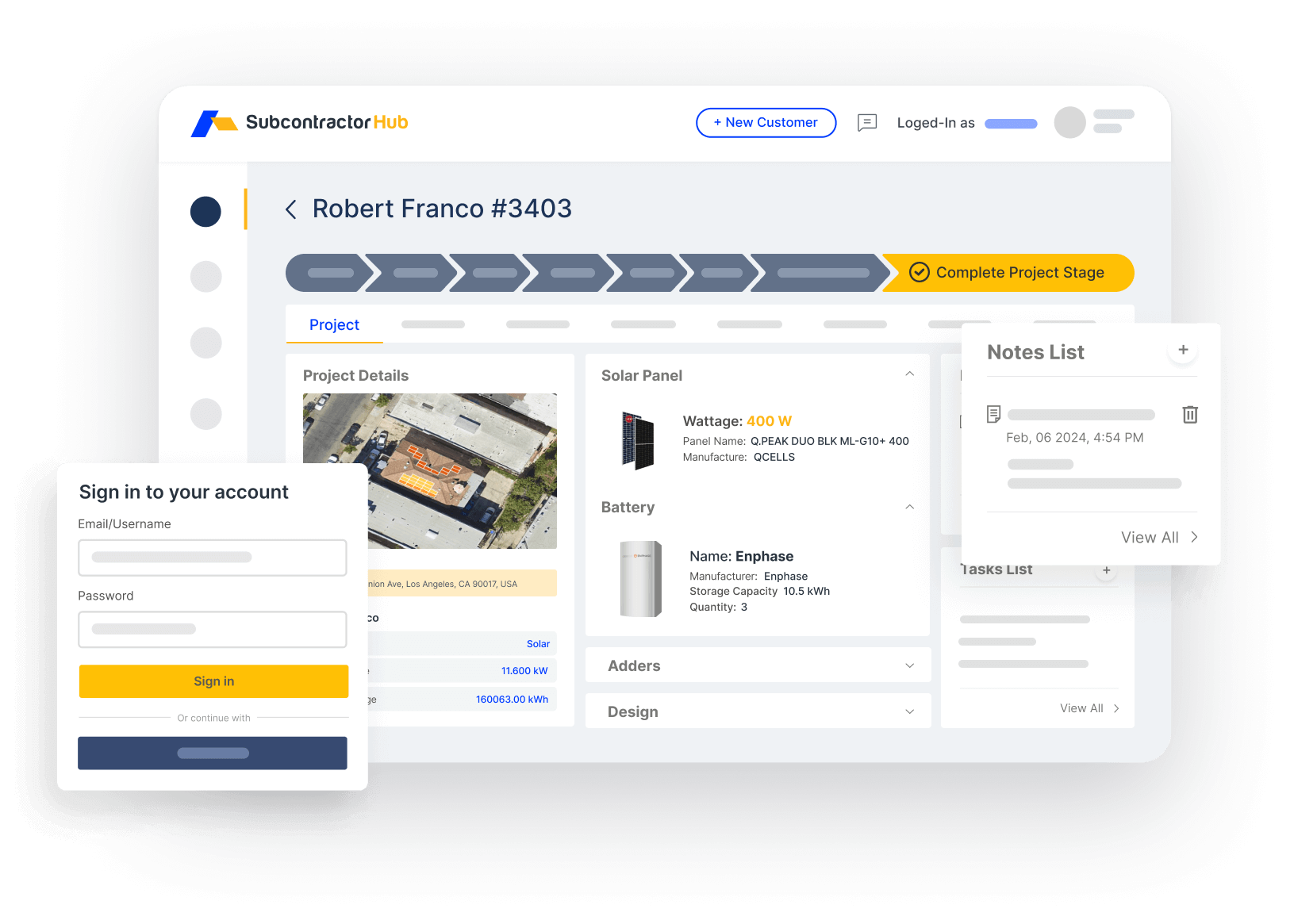
Sales Velocity: see every active HVAC lead, proposal sent, and financing application in one pipeline view
Accounting: What HVAC Software Handles and What QuickBooks Handles
“Best accounting software for a small HVAC business” is usually the wrong question. Almost every small HVAC company keeps its books in QuickBooks Online or a similar small-business package, because that is what its accountant, bank and payroll provider already work with. The real decision is which work belongs in the HVAC software, which belongs in accounting, and how cleanly the two sync.
| Job | Where it should live |
|---|---|
| Leads, estimates, proposals, e-signature | HVAC software |
| Deposits, progress payments, financing approvals | HVAC software, synced to accounting |
| Invoices | Created from the signed job, pushed to accounting |
| Job costing (equipment, labor, permits) | HVAC software at the job level; totals in accounting |
| General ledger, sales tax, bank reconciliation | Accounting software |
| Payroll and tech commission payouts | Payroll provider, fed by commission data from the jobs |
What to check in any demo: does a signed proposal become an invoice without retyping, do payments come back to the job record, and can you see job-level profit without exporting to a spreadsheet? SubcontractorHub's QuickBooks integration turns each signed proposal into a QuickBooks invoice and syncs payment status back to the job, so the owner who wears both the sales hat and the bookkeeping hat stops entering every job twice.
For installs that are paid in stages, progress billing matters more than the brand of accounting software. Our guide to HVAC invoice software and the HVAC job costing software comparison go deeper.
The App Stack for a Small HVAC Business
Searches for the “best app for an HVAC business” usually come from owners who are running five or six disconnected apps and feel it. The goal is not the most apps; it is the fewest that cover the work, connected so information moves once. A practical stack for a 3 to 15 person shop:
| Job | What good looks like |
|---|---|
| Selling and proposals | CRM pipeline plus good-better-best proposals built and signed on a tablet in the home. See Sales Velocity. |
| Financing | Monthly payment options shown inside the proposal, not in a separate app. See contractor financing. |
| Scheduling and installs | Service calls on a dispatch board; installs as projects with stages from sold to inspected |
| Accounting and payroll | QuickBooks or similar, fed automatically by signed jobs and payments |
| Field calculations | Load calcs, superheat and subcooling, and duct sizing on the phone: try the Manual J calculator, superheat calculator and duct size calculator |
| Maintenance agreements | Recurring visits scheduled and billed automatically. Price them with the maintenance plan calculator. |
The first three rows are where most small shops leak money, because they are the handoffs: lead to proposal, proposal to financing, signed job to scheduled install. Putting them in one platform is the main reason to leave a starter tool.
What to Look for in HVAC Software at Small-Business Scale
When evaluating HVAC software for a small business, these factors matter more than they do at enterprise scale:
- Fast onboarding, no mandatory consultants. A platform that takes months and a paid implementation consultant to go live is not a small-business tool. Target platforms with 1–3 week onboarding.
- Mobile-first, field-tested. Your team is in the field, not behind a desk. If the app is clunky on a phone, it won't get used. Adoption is what drives ROI.
- Financing built in, not bolted on. The ability to present monthly payment options during the proposal — not after — directly improves close rates on larger HVAC jobs.
- Pricing that scales with value, not headcount. Per-seat pricing means every new tech or rep raises the software bill. SubcontractorHub's model is unlimited users with a flat module fee and $35 per signed contract, so the bill tracks jobs won, not people hired.
- Multi-trade ready. If you're likely to add solar or roofing in the next 2 years, pick a platform that handles all three now rather than re-implementing everything later.
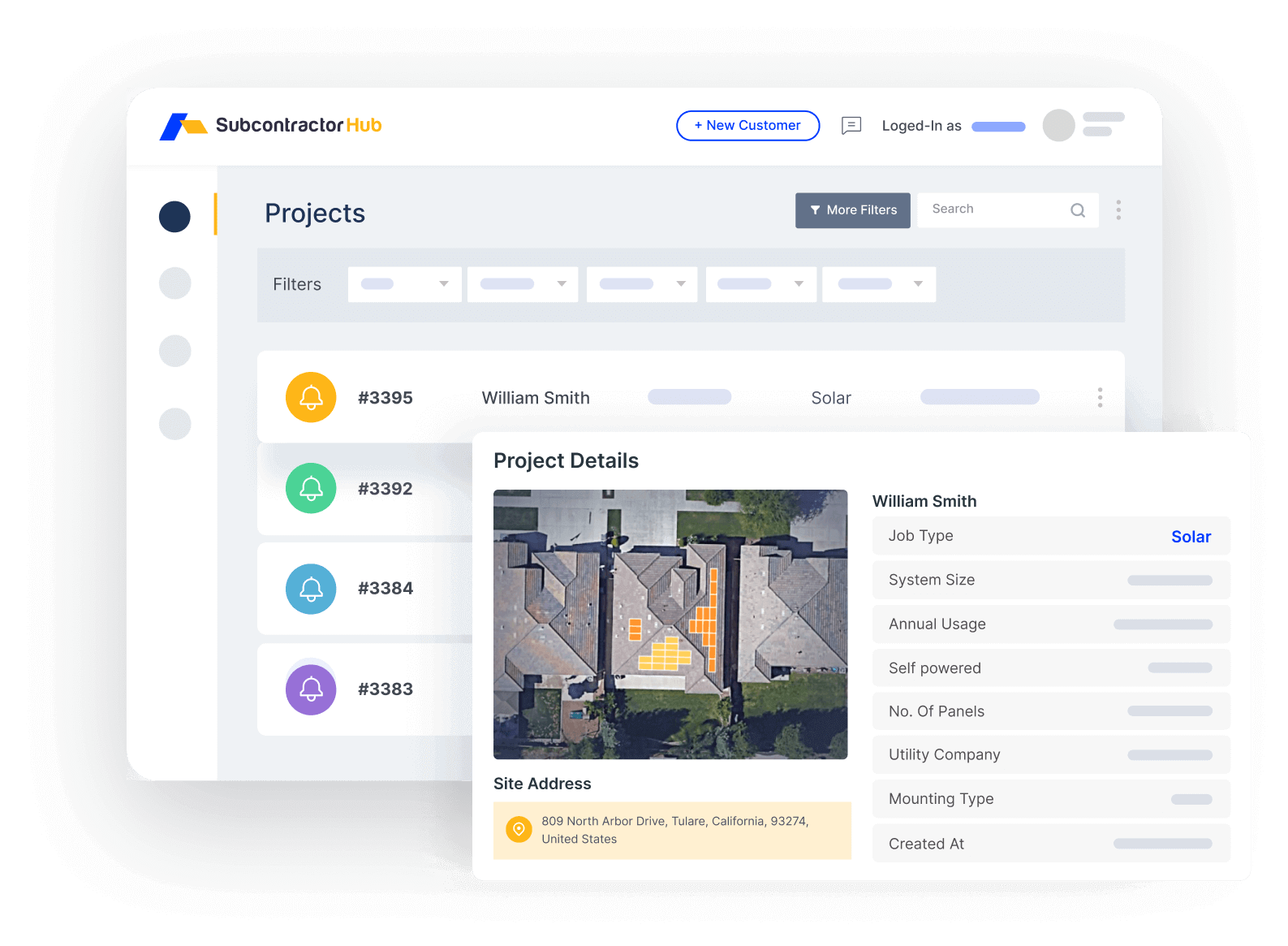
Project management built for HVAC installation: track every job from sold to inspected without spreadsheets or status meetings
Frequently Asked Questions
What is the best HVAC software for small business in 2026?
For installation-focused small HVAC businesses running roughly $500K to $5M in revenue, SubcontractorHub is the best fit: field proposals, a sales CRM, embedded financing and installation project management in one platform, without enterprise pricing. For pure service-call shops under about five technicians, Housecall Pro or Jobber are faster to start on their published monthly plans.
Is ServiceTitan too expensive for small HVAC businesses?
For most small HVAC businesses, yes. ServiceTitan does not publish pricing; it is quoted per technician and typically comes with a paid implementation, so the cost grows with every hire. It earns its keep for fleets of roughly 20 or more technicians with dedicated dispatch and finance staff. A smaller shop should get a written quote covering per-technician fees, implementation and add-ons before comparing.
Can small HVAC companies afford SubcontractorHub?
SubcontractorHub charges a flat monthly fee for the modules you choose, with unlimited users and no setup fees, plus $35 per signed contract. Adding a technician or a sales rep never changes the bill, which is the opposite of per-seat pricing and suits a small shop that is hiring. See the pricing page for current module prices.
What HVAC software features matter most for small businesses?
Fast field quoting so jobs close the same day, a visible sales pipeline, financing presented inside the proposal, project management for multi-day installs, a clean sync to your accounting software, and a mobile app your team will actually use. More features do not help if adoption is low.
When should a small HVAC business upgrade from Jobber or Housecall Pro?
Four clear signals: you cannot see your sales pipeline, reps are losing same-day closes because quoting is slow, financing is not integrated at the point of sale, or multi-week installs do not fit scheduling-only software. Any one of these is worth a platform evaluation.
What is the best accounting software for a small HVAC business?
Most small HVAC companies keep the general ledger, payroll and taxes in QuickBooks Online or a similar small-business accounting package, and run estimates, jobs and invoicing in their HVAC software. The deciding factor is the sync between the two: signed jobs should become invoices automatically, payments should flow back to the job record, and job costs should land against the right job. Your accountant will almost certainly already know QuickBooks.
What apps do you need to run a small HVAC business?
At minimum: a CRM and proposal app for selling, a scheduling or project app for running jobs, a payments and financing tool, accounting software, and payroll. Field techs also rely on load calculation, superheat and subcooling, and duct sizing tools. Fewer, better-connected apps beat a pile of disconnected ones, because every handoff between apps is where information gets lost.
Related Guides
- Best HVAC Software for Contractors in 2026 (Full Comparison)
- Best HVAC CRM Software in 2026
- How Much Does HVAC Software Cost in 2026?
- Best ServiceTitan Alternatives
- Best Housecall Pro Alternatives
- → SubcontractorHub for HVAC Contractors
- → HVAC Contractor Software Platform
- Embedded Contractor Financing
What SubcontractorHub Does for HVAC Contractors
30-minute demo. See exactly how it handles proposals, pipeline, financing, and project tracking for a small HVAC installation business.
Book a DemoHVAC Software, Small Business, Contractor Tools