
Best Solar Project Management Software in 2026: An Honest Buyer's Guide
By SubcontractorHub Editorial Team·Published June 2026 · Updated September 2026
Quick Answer
The best solar project management software in 2026 is SubcontractorHub for contractors who need to manage the full cycle — from signed proposal through permit, install, inspection, and PTO — in a single platform. For design-only or proposal workflows, Aurora Solar remains the category leader. For enterprise field service operations, ServiceTitan covers scale. But if you want sales CRM, AI-powered quoting (EasyQuote for solar), and project milestone tracking under one login, SubcontractorHub is the fastest way to stop losing jobs to permitting delays and crew miscommunication. Book a demo to see the full workflow.
Selling a solar installation is the easy part. Everything that happens after the customer signs — permit submissions, utility applications, site surveys, crew scheduling, inspections, interconnection, and PTO — is where solar contractors bleed time and money. A missed permit deadline costs weeks. A miscommunicated install date costs a crew. An undocumented change order costs margin.
Solar project management software exists to prevent exactly these failures. But the market in 2026 is fractured: design tools that don't manage jobs, CRMs that don't track milestones, and PM tools that require a separate sales system. This guide cuts through the noise.
What Solar Project Management Software Actually Needs to Do
A solar installation typically moves through 8-12 distinct milestones between signed contract and PTO. Every one of them requires documentation, coordination, and status tracking. Software that only manages the first few — or the last few — is a half-solution. Strong solar project scheduling means every milestone has an owner, a due date, and automatic reminders so nothing stalls in a queue.
- Pre-install coordination: site survey scheduling, HOA approval tracking, permit package preparation and AHJ submission
- Utility interconnection: application filing, utility queue status, approval documentation
- Material procurement: panel and inverter orders tied to scheduled install date
- Crew dispatch: assigning installation crews with job details, access notes, and equipment lists — effective crew management means your install teams are never waiting on information that lives in someone's inbox
- Inspection scheduling: triggering final electrical and building inspections and documenting results
- Permitting and commissioning: utility permission-to-operate submission, confirmation, and closeout documentation
The platforms that handle all of this — connected to the sales CRM where the job originated — are rare. Most tools require a Zapier integration, a spreadsheet handoff, or a second login to bridge sales and operations. That gap is where SubcontractorHub's project management platform was built to play.

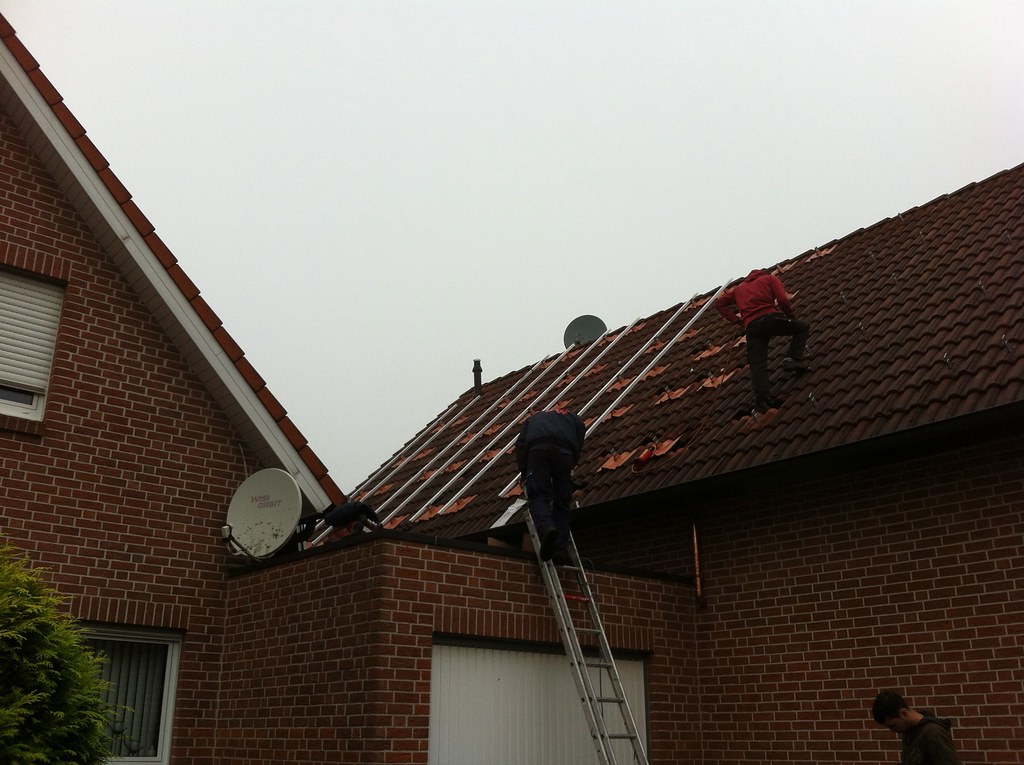
The best solar project management software keeps installation milestones visible from permit approval through final commissioning.
Top Criteria to Evaluate Before You Buy
- Does it connect sales to operations? The fastest path from signed contract to installed system is zero re-entry. If your PM tool requires manually recreating the job from your CRM, you're already losing time.
- Can it track permit and utility timelines? These are the longest-lead items in any solar job. A system that doesn't surface permit status in the job dashboard means your PMs are tracking it in a spreadsheet — which means it will get lost.
- How does crew scheduling work? Assigning crews to jobs is only useful if the crew can see their schedule, access job notes, and log completion in the field. Mobile-first matters here.
- Does it support workflow automation? Manual status updates and email nudges are a sign your software isn't doing enough. Look for automated milestone triggers that advance jobs and notify the right person without a PM having to initiate every handoff.
- Does it support multi-trade workflows? If you run solar alongside roofing or HVAC, a single-trade PM tool creates parallel systems that never talk to each other.
- What does adoption actually look like? The most powerful PM tool is useless if your install team won't log updates in the field. Simplicity and mobile UX matter as much as feature depth.
SubcontractorHub
See How Top Contractors Close More Jobs
AI proposals, sales pipeline, and project management — all in one platform.
- ✓AI-powered proposals in the field
- ✓CRM built for contractor sales
- ✓Project tracking from sale to install
30 minutes. No commitment.
Head-to-Head Comparison: Top Solar Project Management Platforms in 2026
Platform-by-Platform Breakdown
Aurora Solar
Pros: The undisputed leader in solar system design and AI-powered proposal generation. Aurora's shading analysis, panel placement, and financial modeling are industry-standard. Strong integrations with financing partners.
Cons: Aurora is a design and sales tool, not a project management platform. Once a job is sold, Aurora provides limited support for permit tracking, crew scheduling, or installation milestone management. Most Aurora users need a second tool for post-sale ops.
Scoop Solar
Pros: Solar-specific project management with strong permit tracking, utility interconnection workflow, and installation milestone management. Built by people who understand the solar installation lifecycle.
Cons: No native CRM or proposal tools — Scoop Solar handles the post-sale phase only, meaning you still need a separate CRM for the sales process. If you run roofing or HVAC alongside solar, Scoop Solar offers no cross-trade support.
Jobber
Pros: Widely adopted for field service management across multiple trades. Strong scheduling, dispatching, and invoicing. Good mobile app. Works for smaller solar teams that don't need deep permit tracking.
Cons: Not solar-specific — there is no native permit tracking, utility interconnection management, or solar proposal generation. You will need integrations for almost every solar-specific workflow. See our Jobber alternatives comparison for detail.
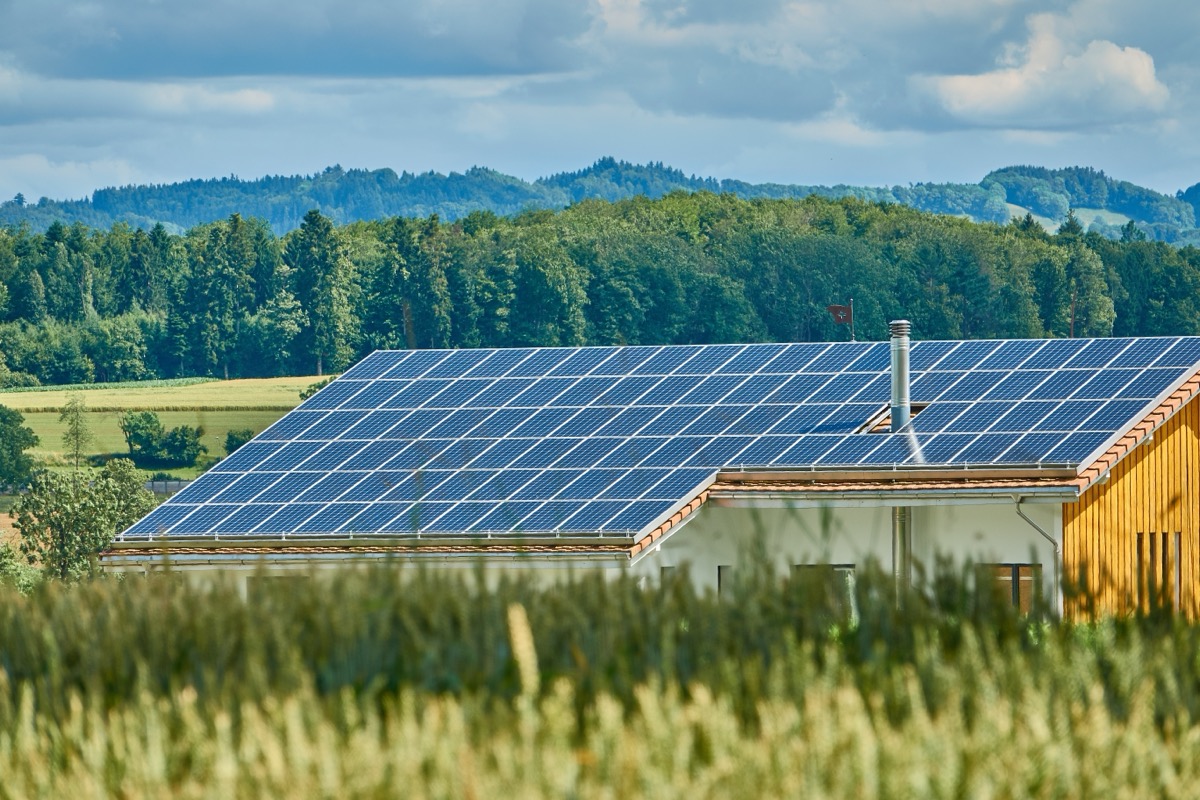
Solar project management software that handles permitting and commissioning prevents the delays that cost contractors weeks between install and PTO.
Why SubcontractorHub Wins for Solar Project Management
The core problem with the solar software market in 2026 is fragmentation. Design tools don't manage projects. CRMs don't track permits. PM tools don't connect to proposals. Every handoff between systems is a data re-entry risk and a delay waiting to happen.
SubcontractorHub eliminates the handoff entirely. The same platform that generated the proposal and tracked the lead through the sales pipeline also manages the job after it closes. Built-in workflow automation advances jobs through milestone stages automatically — no PM has to manually trigger the next step or chase a status update.
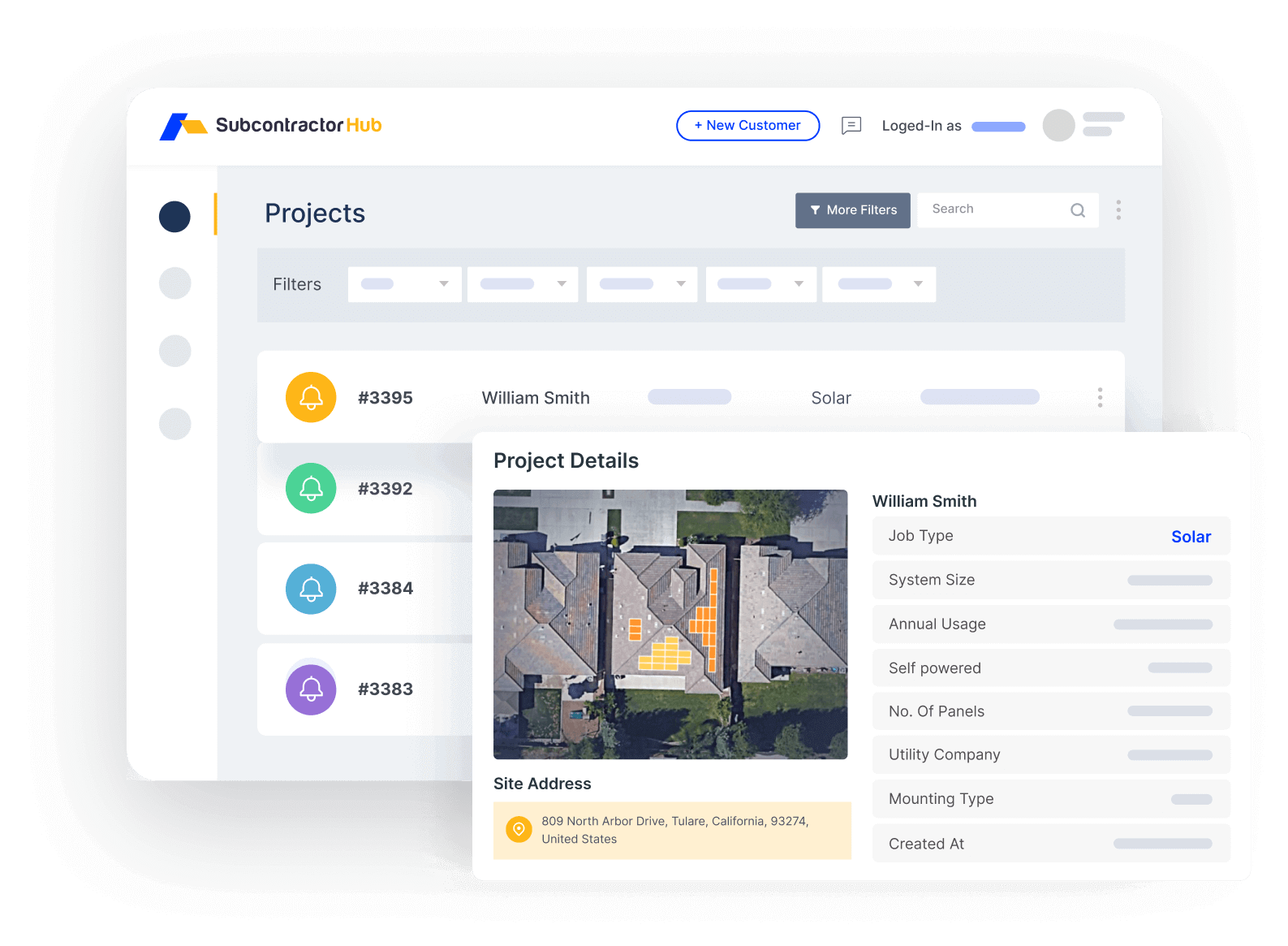
Project Management: track every solar job from signed contract through PTO in one dashboard
Milestone-driven job tracking means your PM team always knows where every job stands: permit submitted, permit approved, materials ordered, crew assigned, install complete, inspection scheduled, utility application filed, PTO received. Status visible at a glance without chasing anyone for updates.
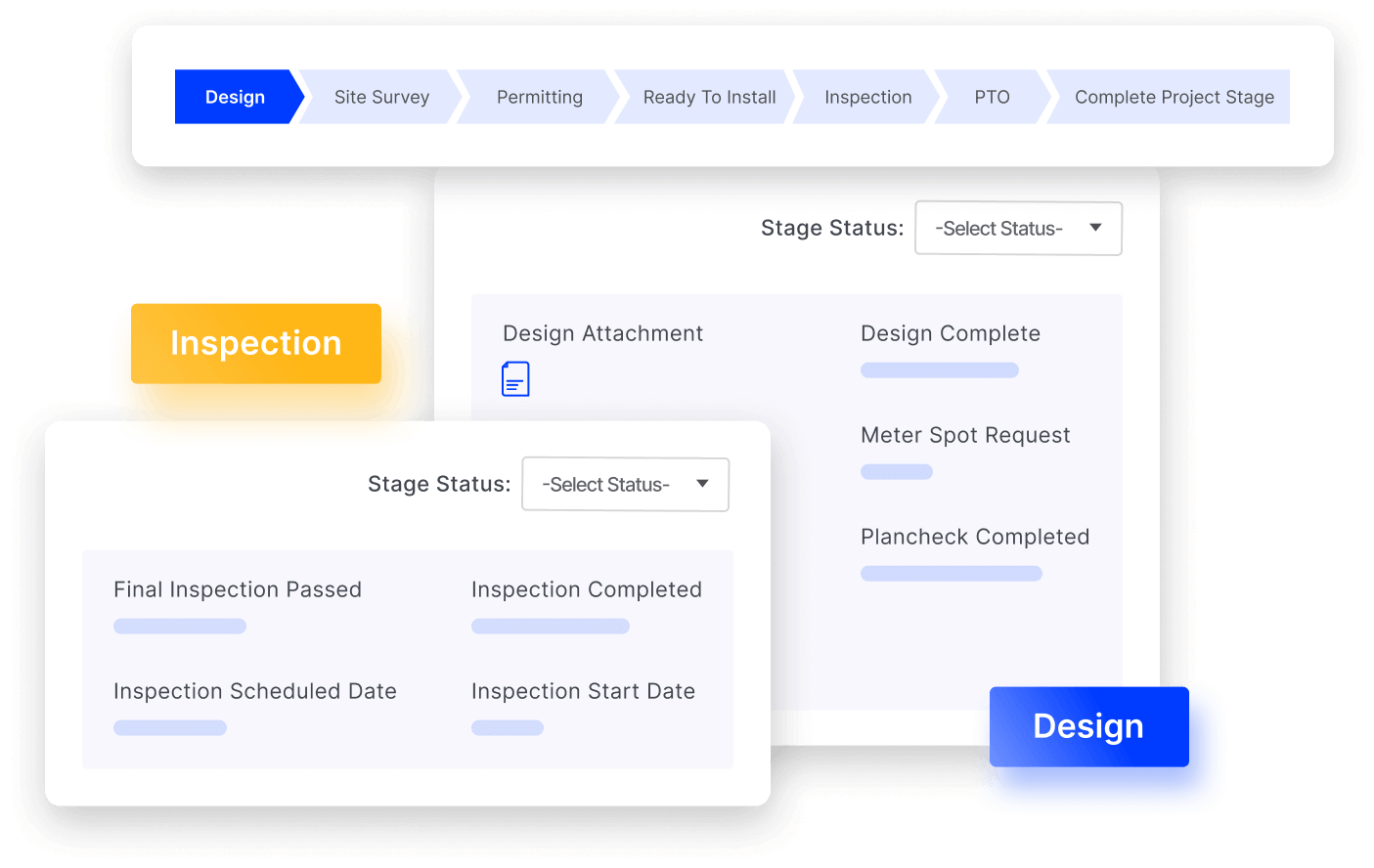
Crew scheduling: assign installation teams with full job context — no calls to the office
Sales Velocity is the CRM that feeds into project management. When a rep closes a deal in Sales Velocity, the job automatically carries over into the PM module with all customer data, system details, and proposal notes intact. No re-entry. No lost context.
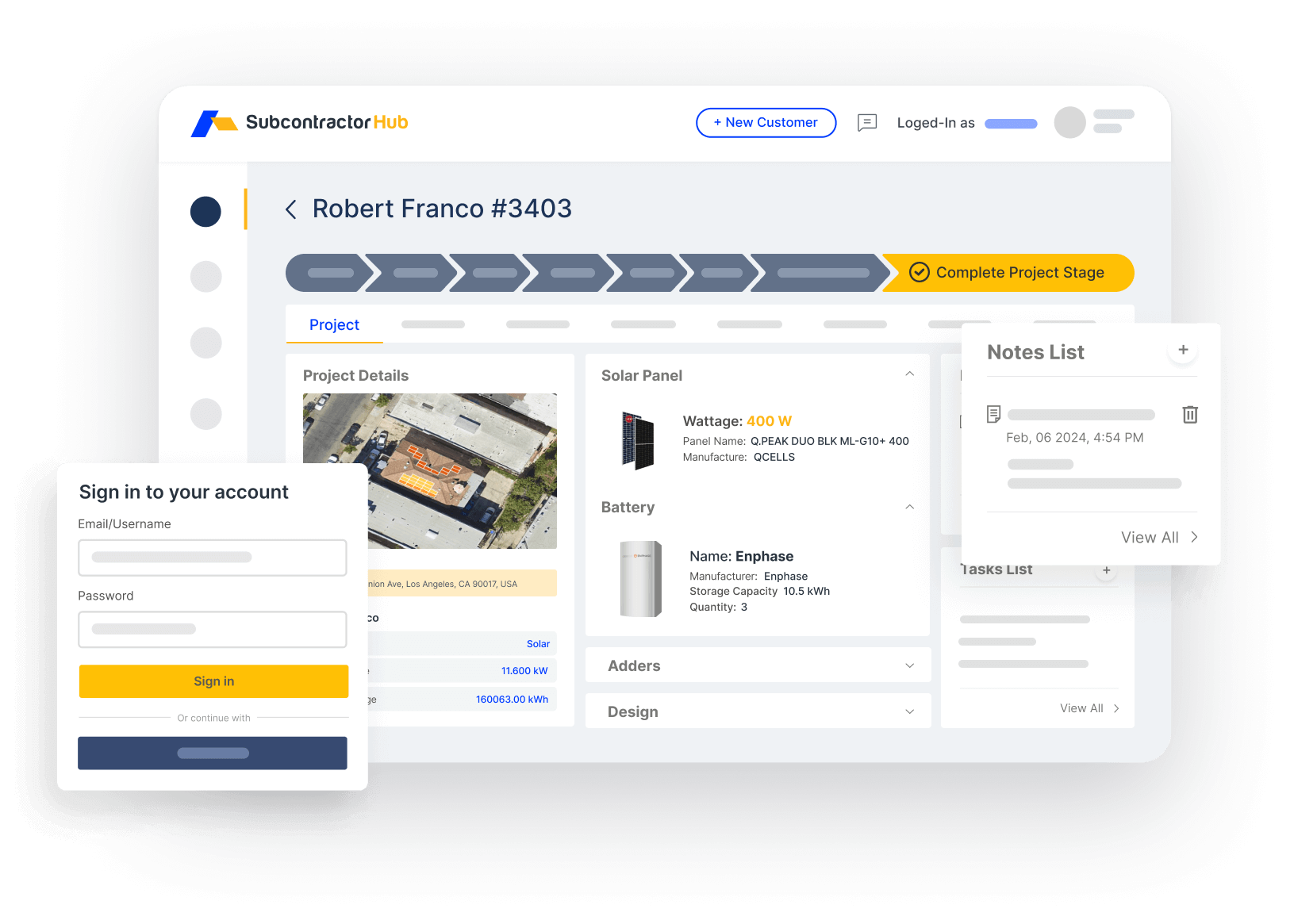
Sales Velocity: solar leads tracked from first contact to signed contract, then handed off to PM automatically
For contractors running roofing or HVAC alongside solar, SubcontractorHub means one platform for all three trades. Same team, same dashboard, same data model — just different job types.
The solar CRM comparison covers the pre-sale CRM side in more detail if that's your primary need right now.
Who SubcontractorHub Is NOT For
- You only need system design tools. If your primary need is shading analysis, panel layout, and financial modeling, Aurora Solar or OpenSolar will serve you better than a full operations platform.
- You are a one-person solar shop. SubcontractorHub is built for teams with reps, PMs, and install crews. Solo operators don't need the coordination layer it provides.
- You only do large-scale commercial or utility projects. The platform is optimized for residential and small commercial solar contractors. Enterprise utility-scale developers — such as solar EPC firms managing engineering, procurement, and construction across large portfolios — have different tooling needs around financial modeling and multi-project coordination.
For growing solar operations, the best solar project management software provides portfolio-level visibility across every active job.
What Changed in Solar Project Management for 2026
When this guide was first published, the comparison above was mostly about features. A year of operating data has shifted the question. The platforms have converged on a similar feature list — what separates them now is where they put the bottleneck and how they charge you as you grow.
Interconnection and PTO now decide your cash cycle, not install day
The install itself is the most predictable part of a solar job. It is the utility side — interconnection application, AHJ permit review, inspection scheduling, and permission to operate — that stretches unpredictably, and those are the milestones sitting between a finished array and a paid invoice. Project management software that tracks only crew scheduling measures the part of the job that was never the problem. When you evaluate a platform, ask specifically whether a job can carry a status of “installed, awaiting PTO” with an owner, an age, and an escalation trigger attached to it. A tool that cannot age a job in that state will not tell you why your receivables are slipping.
Cloud-based platforms replaced the spreadsheet-plus-CRM stack
The most common setup among growing solar installation companies is still a CRM for the sale and a spreadsheet for everything after it. That arrangement survives up to roughly 15–20 installs a month, which is the point where one person can no longer hold the pipeline in their head. Past that, the spreadsheet stops being a record and starts being a second job. A cloud-based solar project management platform matters here less for the software itself than for the fact that the field crew, the permit coordinator, and the office are looking at the same job record at the same time — which is exactly what a shared spreadsheet only appears to give you.
Per-seat pricing is the hidden tax on a growing install business
This is the practical difference that shows up 18 months into a contract. Most platforms in this category price per user, so every subcontracted installer, permit clerk, or seasonal crew member you add raises your monthly cost — which quietly encourages you to give fewer people access, and defeats the point of running a shared system. SubcontractorHub prices per signed contract instead of per seat: user accounts are unlimited and the platform charges a flat $35 per signed contract, so the cost tracks revenue rather than headcount. Whichever platform you pick, model the cost at double your current crew size before you sign.
Where each tool actually fits now
If your constraint is design throughput, Aurora Solar remains the specialist and the rest of your stack should be built around it. If you already run a CRM you are happy with and only need the post-sale layer, Scoop Solar is the narrowest fit. If you are running a small team and solar-specific milestones are not yet slowing you down, Jobber is enough. The case for a combined platform is strongest when the handoff between sale and installation is where jobs are being dropped — and if you are also running roofing or HVAC crews, see the solar installer software comparison for how multi-trade operations change the calculus.
Frequently Asked Questions
What is the best solar project management software in 2026?
SubcontractorHub is the best option for contractors who need CRM, proposals, and project management in one platform. Aurora Solar leads for design-only workflows. Scoop Solar is the specialist for post-sale solar PM if you already have a separate CRM. Jobber works for small solar teams that don't need solar-specific milestone tracking.
Is cloud-based solar project management software worth it for a growing installer?
It pays off at roughly 15-20 installs a month — the point where one person can no longer hold the pipeline in their head and the spreadsheet stops matching reality. The real gain is that crews, permit coordinators, and office staff work from the same job record instead of reconciling copies. Below that volume, a CRM plus disciplined spreadsheet habits is usually still fine. Check whether pricing is per user or per job: per-seat pricing raises your cost every time you add a crew member.
What features should solar project management software include?
Look for permit tracking (AHJ and utility submissions), milestone management from survey through PTO, crew scheduling and dispatch, material coordination, customer communication tools, and a mobile app for field use. The best tools connect these features directly to the CRM where the sale was closed.
How is solar project management software different from solar design software?
Design software like Aurora Solar handles system design and proposals. Project management software handles what comes after: permits, scheduling, installation, inspections, and PTO. Most solar contractors need both — SubcontractorHub provides the PM layer and connects it to an integrated sales CRM.
Can I manage roofing and HVAC jobs alongside solar in the same platform?
Most solar-specific tools are single-trade. SubcontractorHub handles solar, roofing, and HVAC in one platform. If you're running or expanding into multiple trades, this eliminates the need for separate tools and logins for each.
How long does onboarding typically take for solar project management software?
Most teams are operational within 2-3 weeks for core milestone tracking. Full adoption with automated triggers, financing integrations, and crew scheduling typically takes 4-6 weeks. SubcontractorHub's onboarding team handles the initial configuration and data migration.
What SubcontractorHub Does for Solar Contractors
If you're running a solar operation and tired of permits falling through the cracks, crews missing job details, and re-entering data between tools — SubcontractorHub was built for exactly this problem. Book a demo and we'll walk through a live solar job from signed proposal to PTO in under 30 minutes.
Book a DemoSolar Software, Project Management, Contractor Tools