
Roofing Project Management Software: The Complete Guide for Contractors (2026)
By SubcontractorHub Editorial Team·Published June 2026 · Updated August 2026·12 min read·Category: Roofing

Quick Answer
Roofing project management is the work of moving a signed roofing job through every stage — permitting, insurance approval, material ordering, crew scheduling, installation, inspection, and final billing — on time, on budget, and without the customer losing track of what happens next. Unlike general construction management, roofing compresses all of it into days rather than months, which means a single missed permit or late delivery stalls the whole job. Most roofing companies run it through a dedicated platform: SubcontractorHub connects roofing sales (via Sales Velocity and EasyQuote) directly to project management, so when a job closes, the PM record opens automatically with scope, materials, and customer details already populated. Book a demo to see it live.
A roofing job looks simple from the outside: inspect the roof, sell the job, install new shingles, collect payment. Anyone who has run a roofing operation for more than six months knows the reality is far more layered. You're coordinating permit applications, waiting on adjuster approvals, racing the weather window for material delivery, dispatching a crew the same morning the shingles arrive, and keeping a homeowner informed who calls twice a day.
Most project management methodology was written for software teams or general contractors running six-month commercial builds. Neither model maps to roofing. This guide covers what a roofing project manager actually does, the six phases every job moves through, the tips that keep jobs on schedule, and the tools that tie it together.
What Does a Roofing Project Manager Do?
A roofing project manager owns the job from the moment the contract is signed until the final invoice is paid. On a residential replacement that window may be two weeks; on a commercial re-roof it can run a full season. Either way the role is the same: keep the job moving and be the single point of accountability when something slips.
Day to day, that breaks down into a fairly consistent set of responsibilities:
- Verifying scope before work starts. Confirming the sold scope matches what the crew will actually build, and catching discrepancies between the estimate and the roof before the tear-off begins.
- Pulling permits and managing approvals. Filing with the municipality, and on insurance work, tracking the adjuster and supplement process to approval.
- Ordering and staging materials. Getting the right shingles, underlayment, and accessories delivered to the right address in the right weather window — and not three days early where they sit exposed.
- Scheduling and dispatching crews. Matching crew capacity to the install calendar and re-sequencing when weather forces a change, which it regularly does.
- Running quality control and inspections. Walking the job, documenting completion with photos, and coordinating the municipal or manufacturer inspection.
- Communicating with the customer. Setting expectations up front and updating proactively, which is the difference between a five-star review and a homeowner calling the office twice a day.
- Managing change orders and closeout. Documenting added scope such as deck replacement, getting it approved, and making sure it reaches the final invoice instead of quietly eating margin.
In smaller companies the owner or lead estimator absorbs all of this. The usual breaking point is somewhere around eight to ten concurrent jobs, where the volume of moving parts exceeds what one person can hold without a system.
7 Roofing Project Management Tips That Keep Jobs on Schedule
- Confirm the scope on site before the truck rolls. The most expensive roofing mistakes are discovered after tear-off. A pre-install verification of measurements, deck condition, and layer count prevents most of them.
- Order materials against the install date, not the sale date. Early delivery means material sitting exposed and in the customer's driveway; late delivery means an idle crew. Tie the order trigger to the scheduled install.
- Build weather slack into the schedule. Roofing is the trade most exposed to weather. Schedule to roughly 80 percent of theoretical crew capacity so a two-day rain delay does not cascade through every job behind it.
- Photograph everything, at every phase. Before, during, and after. Photo documentation settles insurance supplements, resolves customer disputes, and supports warranty claims years later.
- Get change orders approved in writing before the work happens. Rotten decking is the classic case. Verbal approval on the roof turns into a payment argument at invoicing.
- Update the customer before they call you. A short proactive message at each phase transition eliminates most inbound status calls and materially improves review scores.
- Stop re-entering data between systems. Every manual handoff from sales to production is an opportunity for the wrong shingle color or address to reach the crew. The job record should carry forward automatically.
Why Roofing Project Management Is Different
A typical roofing job moves through more distinct phases than most trades. A residential replacement that takes two days of labor still involves:
- Roof inspection and damage documentation
- Proposal creation and homeowner sign-off
- Insurance claim filing (for restoration jobs)
- Permit application and approval from the municipality
- Material ordering and scheduling a delivery window
- Crew assignment and scheduling around weather
- Installation with milestone check-ins
- Post-installation inspection (and possible supplement)
- Final invoice and collections
Generic project management tools — Asana, Monday.com, even Buildertrend — were not designed around this lifecycle. They have tasks and deadlines, but they don't understand what a supplement is, why permit approval delays the material order, or how a crew schedule cascades when a delivery arrives two days late.
The handoff from sales to operations is where most roofing companies hemorrhage time. The sales rep closes the deal, sends a text to the PM, and assumes someone is handling it. The PM gets a text with no scope details and has to call the customer to re-confirm everything that was already discussed. That inefficiency, multiplied across dozens of active jobs, is what roofing project management software is supposed to eliminate.
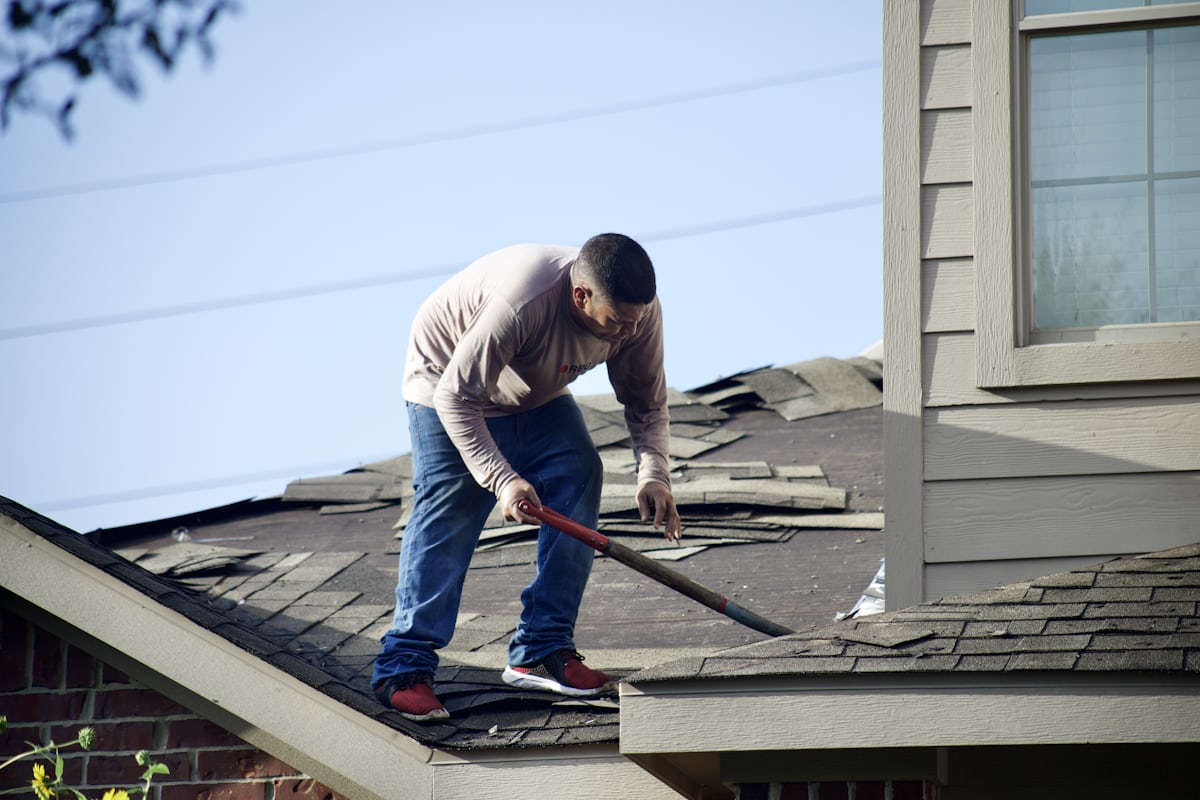
Roofing project management software keeps inspection findings, permit status, and job scope in one connected record.
The 6 Phases Every Roofing PM Tool Must Track
When evaluating any roofing project management platform, verify that each of these six phases is tracked natively inside the job record — not in a separate spreadsheet, email thread, or third-party tool.
1. Permit Application and Approval Status
Every municipality has different permit requirements, timelines, and inspection checkpoints. Your PM tool needs a dedicated permit status field — applied, pending, approved, expired — that is visible on the job record and triggers crew scheduling only when approval is confirmed. Tracking permits in a sticky note or a shared Google Sheet is how jobs get scheduled before approval and crews show up to an un-permitted site.
2. Material Ordering and Delivery Confirmation
Materials and crew need to arrive within hours of each other. If shingles land on a Tuesday and your crew isn't scheduled until Friday, you have a liability sitting in a homeowner's driveway. A roofing PM tool should connect the material order to the job record, capture the delivery confirmation, and surface conflicts with the crew schedule before they become a problem.
3. Crew Assignment and Job Scheduling
Roofing schedules are fluid. Rain pushes a Wednesday crew to Thursday, and Thursday's crew bumps to Friday, and suddenly you have three jobs stacked on one day. Effective job scheduling requires a drag-and-drop interface that shows crew availability across all active jobs and allows same-day reassignments without losing the audit trail. Crew management across multiple active sites is one of the biggest operational challenges roofing contractors face at scale.
4. Installation Progress Milestones
For larger jobs, installation doesn't happen in one visit. Tear-off, deck inspection, underlayment, and shingle installation can be separate events. Milestone tracking gives the PM a real-time view of where each job stands without having to call the crew foreman. It also creates a documentation trail for insurance purposes and quality audits.
5. Customer Communication and Status Updates
The number-one complaint roofing customers have is not knowing what's happening with their job. Proactive, milestone-triggered updates — "Your materials arrive Tuesday, installation starts Wednesday at 7am" — reduce inbound calls, improve reviews, and remove the PM from the role of customer service rep for status checks.
6. Final Inspection and Invoice
The job isn't done when the crew leaves. Final inspection sign-off, punch list items, and invoice generation should all flow from the same job record. If your invoicing lives in QuickBooks and your inspection notes are in a text message, you are creating reconciliation work that belongs inside your PM tool.
Roofing PM Software Comparison (2026)
Here is how the leading platforms compare across the criteria that matter most for roofing contractors:
| Software | Best For | Roofing-Specific | Sales-to-PM Handoff | Insurance Workflow | Price Range |
|---|---|---|---|---|---|
| SubcontractorHub | Full roofing + multi-trade | ✓ | Automatic from EasyQuote | ✓ | $$ |
| AccuLynx | Insurance restoration focus | ✓ | Partial | ✓✓ | $$$ |
| JobNimbus | Small roofing teams | Partial | Partial | Partial | $ |
| Buildertrend | General construction | General | Manual | ✗ | $$$ |
| Salesforce | Enterprise CRM add-on | ✗ | Manual | ✗ | $$$$ |
How SubcontractorHub Handles Roofing Project Management
Most software companies show you a PM tool and then separately show you a roofing CRM, and you are left to figure out how they connect. SubcontractorHub's PM module was designed as the back end of the sales workflow, not a separate product bolted on later.
When a roofing job closes in EasyQuote, it automatically opens a project record with the customer's contact details, the property address, the full scope from the signed proposal, and the materials list. The PM sees a fully populated job record — no phone call to the sales rep, no re-entering the customer name, no searching for the scope document. Everything the sales rep documented during the estimating process carries directly into the production workflow.
From that moment, the PM can:
- Log the permit application and track approval status
- Trigger a material order tied to the job record
- Assign a crew and set the installation date
- Send automated updates to the customer at each milestone
- Track installation progress and document completion photos
- Generate the final invoice directly from the job
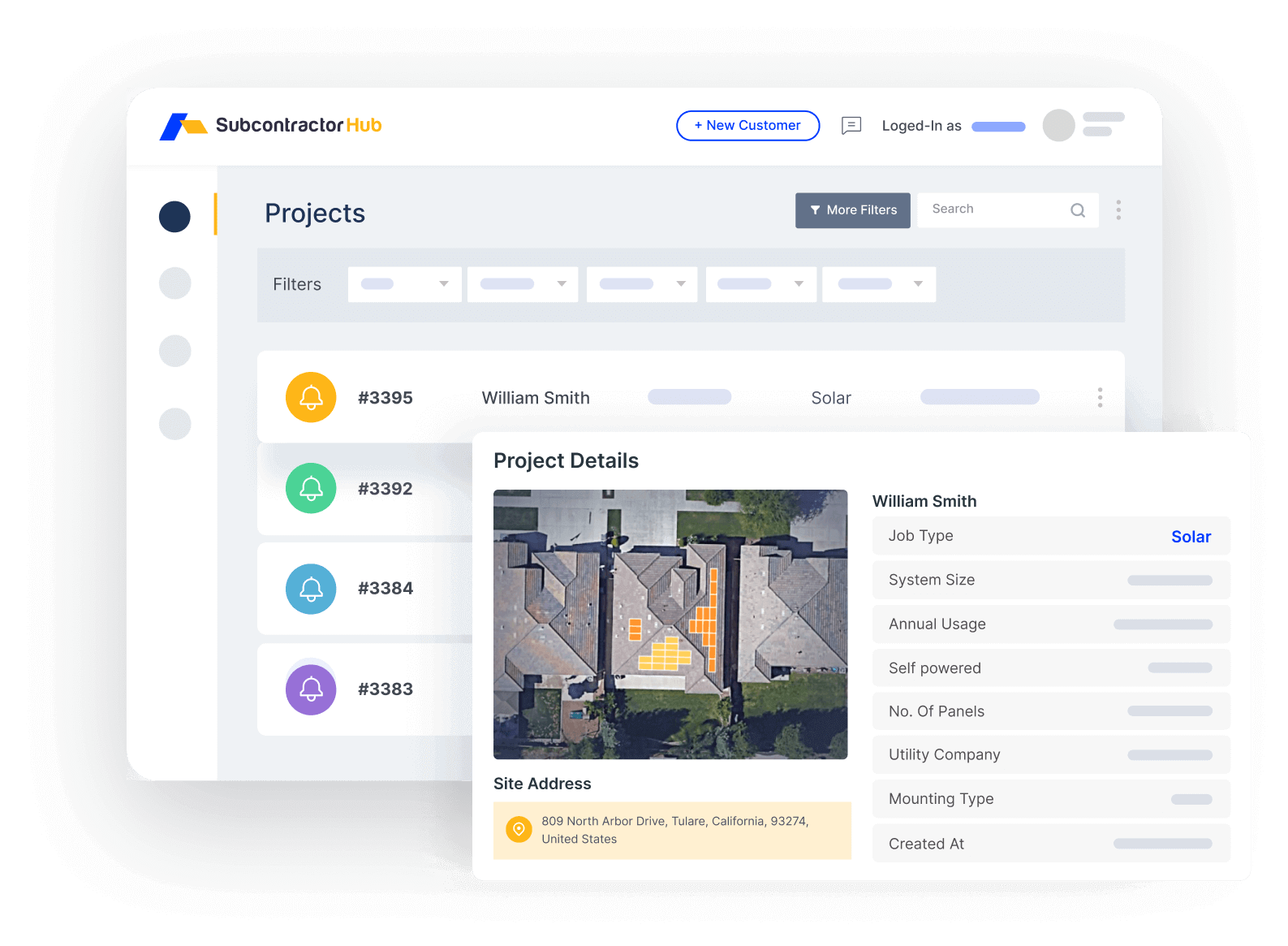
SubcontractorHub project management: every roofing job tracked from signed proposal to final invoice
For roofing contractors running multiple crews across multiple jobs simultaneously, the single-platform model removes the constant context switching between a roofing CRM, a PM tool, and an invoicing app. Every person on the team is looking at the same job record at the same time.
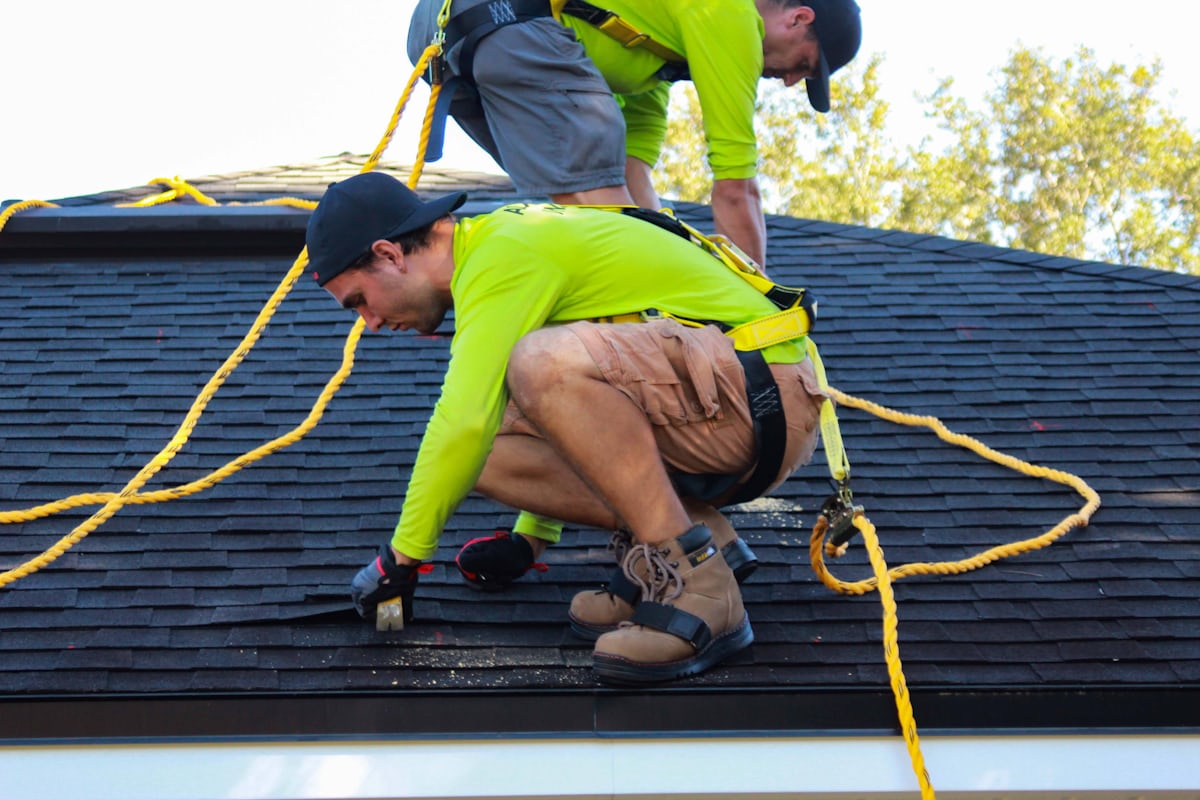
Good roofing project management software gives PMs real-time crew management visibility across every active job.
Insurance Restoration: The Extra Layer
Insurance restoration jobs carry a layer of complexity that retail roofing jobs don't have. The scope isn't final until the insurance company agrees to it. Supplements are a normal part of the workflow — not an exception — and each supplement has its own approval cycle. Adjuster visits, reinspection requests, and depreciation releases all need to be documented and tracked.
When this workflow lives in email, you get situations where the supplement was approved last Tuesday but nobody told the PM, so materials were ordered against the original scope and the crew is on-site without the correct materials. That's a half-day of lost labor plus a second material delivery.
SubcontractorHub tracks insurance restoration inside the job record:
- Supplement documentation: attach supplement requests, adjuster correspondence, and approval letters directly to the job
- Approval status tracking: visible to the PM and sales rep so nobody is operating on an outdated scope
- Depreciation release tracking: log ACV payment receipt and RCV release in the job timeline
- Scope change propagation: when the approved scope changes, the material list and job costing update accordingly
AccuLynx is the other platform commonly cited for insurance restoration depth — its Xactimate integration makes it well-suited for contractors whose entire business is storm restoration. If you are running a mixed retail and insurance book, or adding solar to your revenue mix, SubcontractorHub's multi-trade architecture gives you room to grow without switching platforms. See how they compare in our AccuLynx alternatives guide.
Crew Scheduling and Customer Communication
Two things determine whether a roofing customer gives you a five-star review or a one-star review: did the job go the way they expected it to, and did they feel informed throughout. The second one is almost entirely within your control.
SubcontractorHub's scheduling interface gives PMs a drag-and-drop calendar view of all active jobs and all available crews. When weather pushes a job, you drag it to a new date, the crew notification updates automatically, and — critically — the customer receives an updated timeline without anyone having to make a phone call. Field crews access their assignments through a mobile field app, so schedule changes reach them instantly without a dispatcher making individual calls.
Milestone-triggered customer updates remove the burden of manual communication at every stage of the job. When the platform registers that materials have been delivered, the homeowner gets a message: "Your materials have arrived. Installation is scheduled for tomorrow at 7:00am. Your crew lead is Marcus." That single automated message eliminates the most common inbound call a roofing PM receives.
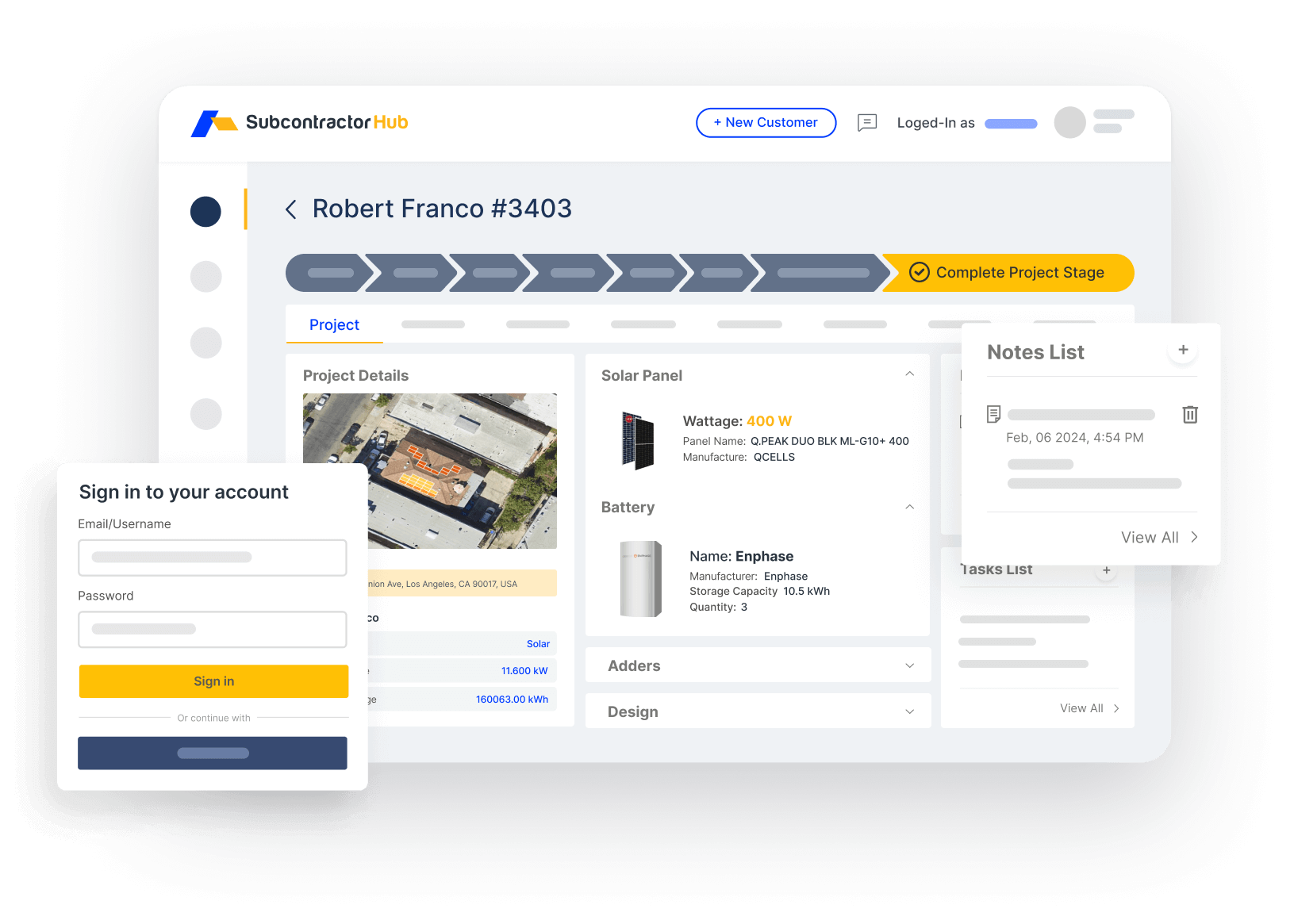
Pipeline and crew visibility across all active roofing jobs — no more texting to find out where a job stands
For contractors running roofing alongside solar or HVAC, the shared scheduling interface means one PM can track crews across trades without switching between platforms — a real advantage as companies diversify.
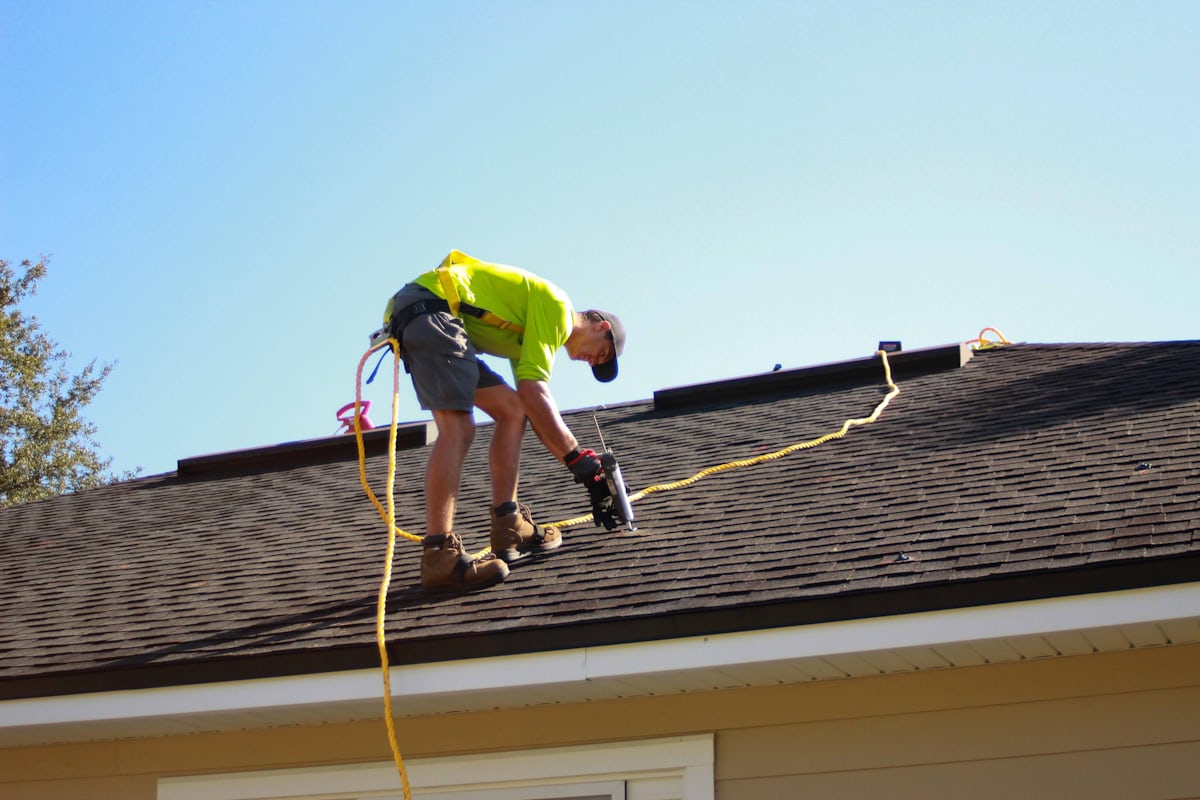
Leading roofing project management software captures installation milestones in real time so office teams always know job status.
Roofing Project Management Apps: What the Crew Actually Uses in the Field
A roofing project management app and roofing project management software are not quite the same purchase, even when they carry the same brand name. The office buys the software. The crew lives in the app. If the app half is weak, the office data goes stale by mid-morning and the platform quietly reverts to being a very expensive filing cabinet.
Judge a roofing project management app on five things, in this order:
- Works with no signal: attic and roof-deck work happens in dead zones. Photos, checklists, and material notes have to queue locally and sync when the phone reconnects — not fail and lose the entry.
- Photo capture tied to the job record: a roof photo that lands in the camera roll is lost. It needs to attach to the job, the phase, and ideally the elevation, in one tap.
- Today-only default view: a crew lead does not want a portfolio view. They want today's address, scope, materials, and crew — above the fold.
- Two-way status push: the crew marks tear-off complete; the office and the homeowner both know without a phone call.
- Tablet layout that is not a stretched phone: PMs doing inspections on an iPad need the checklist and the photo pane side by side.
SubcontractorHub's field app covers this set, and because it reads from the same job record as the office platform there is no export or reconciliation step. Crews see assignments and scope; the office sees progress as it happens. See how the field and office halves connect on the roofing platform overview.
Roofing Construction Project Management: Where Commercial Jobs Differ
Contractors searching for roofing construction project management software are usually not describing a residential reroof. They are describing commercial roofing project management: a longer schedule, a general contractor above them, submittals and RFIs, stored-material billing, retainage held against the contract, and progress billing tied to percentage complete rather than a single invoice at completion.
That is a different job from retail roofing, and it is where most roofing-only tools stop. The three capabilities that separate roofing construction project management from residential job tracking:
- Progress billing and retainage: bill a percentage of a schedule of values, track what the GC is holding back, and release it at closeout. Run the numbers with our retainage calculator.
- Change order control: commercial scope moves constantly. A signed change order has to update the contract value, the billing schedule, and the material list together — see the change order calculator.
- Document trail: submittals, product data, warranty documentation, and closeout packages attached to the project rather than living in a shared drive.
If commercial work is a meaningful share of your revenue, read our commercial roofing software breakdown alongside this guide — the buying criteria genuinely diverge from residential.
Roofing Project Management Tools Compared: SubHub, JobNimbus, AccuLynx, CompanyCam and Monday.com
Contractors rarely evaluate roofing project management tools in the abstract — they arrive with two or three names already in hand. Here is the honest positioning of the platforms that come up most often, including where SubcontractorHub is not the obvious answer.
JobNimbus vs Monday.com for roofing project management
This comparison comes up constantly, and it is really a question about whether you want roofing logic built in or a blank canvas. Monday.com is a general work-management platform: extremely flexible boards, automations, and views, with no concept of a roof, a supplement, or a permit until you build one. Teams that pick it usually have someone willing to own the configuration long-term. JobNimbus is roofing-native — pipeline, job phases, and photo workflows ship ready to use — so it starts faster but bends less.
The practical filter: if your bottleneck is that nothing fits your process, Monday.com can be shaped to fit. If your bottleneck is that your process lives in your head and nobody follows it, a roofing-native tool imposes one. Monday.com will also not price, quote, or invoice a roofing job, so most contractors who choose it end up paying for a second system anyway. See our JobNimbus alternatives comparison for the full breakdown.
Where AccuLynx and CompanyCam fit
AccuLynx is the deepest option for storm and insurance restoration work, largely on the strength of its Xactimate integration — if essentially all of your revenue is insurance claims, it is a genuinely strong fit. CompanyCam is not a project management platform at all; it is best-in-class jobsite photo documentation that most roofers run alongside a PM system rather than instead of one. If you are comparing CompanyCam to a PM tool, you are comparing two different categories.
SubcontractorHub's distinction is scope: sales, proposal, project management, and invoicing sit on one job record, and the same platform runs roofing, solar, and HVAC work — which matters if you are diversifying. It is a weaker choice than AccuLynx for a pure Xactimate-driven storm shop, and it is not trying to replace CompanyCam's photo depth. Compare the alternatives directly: AccuLynx, JobNimbus, and ServiceTitan.
See Roofing Project Management in Action
When a roofing job closes in SubcontractorHub, it automatically opens a project record with scope, materials, and customer details already populated — no re-entry required.
Book a Demo →Frequently Asked Questions
What is roofing project management software?
Roofing project management software is a platform that helps roofing contractors track jobs from sale through installation and final invoice. It typically covers permit tracking, crew scheduling, material ordering, customer communication, milestone tracking, and inspection sign-off — all in one place rather than scattered across spreadsheets, texts, and email threads.
How does roofing PM software differ from general construction software?
General construction software is built around long-duration commercial projects with fixed scopes and change order workflows. Roofing jobs are shorter, higher-volume, weather-dependent, and often involve insurance supplement workflows that general construction tools were never designed to handle. Roofing-specific platforms track permit status, material delivery windows, crew availability, and adjuster approval — phases that don't exist in most general construction tools.
Can roofing PM software handle insurance restoration jobs?
The best roofing PM platforms include insurance restoration workflows: supplement tracking, adjuster notes, approval status, and documentation storage inside the job record. SubcontractorHub and AccuLynx both support insurance restoration workflows. The key distinction is whether supplement activity is inside the job record or requires a separate spreadsheet or email chain.
How does project management connect to roofing sales?
In the best roofing platforms, when a job closes in the sales CRM, it automatically opens a project record with the customer details, scope, and materials from the signed proposal — with no re-entry required. SubcontractorHub does this natively: EasyQuote closes the sale and project management picks up immediately. In most standalone tools, this handoff is a manual step that introduces delays and data errors.
What should I look for in roofing job management software?
Look for six things: (1) does the permit tracking live inside the job record or require a separate log; (2) does material ordering connect to the project automatically; (3) can crew assignments be made and changed on mobile; (4) does the customer receive automatic status updates at key milestones; (5) is insurance supplement tracking native or bolted on; and (6) does the sales-to-PM handoff happen automatically when a job closes.
Is there a roofing project management app for crews in the field?
Most roofing project management platforms ship a companion mobile app, but they vary widely in quality. The five things that matter are offline capture (roof and attic work happens in dead zones, so entries must queue locally and sync later), photos that attach to the job record rather than the camera roll, a today-only default view for crew leads, two-way status push so the office and homeowner learn of progress without a phone call, and a real tablet layout for PMs running inspections on an iPad. SubcontractorHub's field app reads from the same job record as the office platform, so there is no export or reconciliation step.
What is the difference between roofing project management software and roofing construction project management software?
Roofing project management software generally means residential job tracking: sale to installation to final invoice, in days or weeks. Roofing construction project management describes commercial work — a general contractor above you, submittals and RFIs, stored-material billing, retainage held against the contract, and progress billing tied to percentage complete rather than one invoice at completion. Most roofing-only tools handle the first and stop short of the second, so if commercial is a meaningful share of revenue the buying criteria genuinely diverge.
JobNimbus vs Monday.com for roofing project management — which is better?
It depends on which problem you actually have. Monday.com is a general work-management platform with very flexible boards and automations but no built-in concept of a roof, a supplement, or a permit, so it needs someone to own the configuration long-term and it will not price, quote, or invoice a roofing job. JobNimbus is roofing-native, so pipeline, job phases, and photo workflows ship ready to use — faster to start, less flexible to bend. If your bottleneck is that nothing fits your process, Monday.com can be shaped to it; if your process lives in your head and nobody follows it, a roofing-native tool imposes one.
Related Resources
- → SubcontractorHub for Roofing Contractors
- → Roofing Contractor Software
- → Roofing Proposal Software
- → Roofing CRM Software
- → Best Roofing CRM Software in 2026
- → Best Roofing Software for Contractors in 2026
- → Best Roofing Estimating Software in 2026
- → Best Roofing Business Management Software in 2026
- → The Roofing Sales Process: Step-by-Step Guide
- → Roofing Sales Close Rate: Benchmarks & Tactics
- → Best AccuLynx Alternatives in 2026
- → Best JobNimbus Alternatives in 2026
Roofing Software, Project Management, Contractor Tools
SubcontractorHub
See How Top Contractors Close More Jobs
AI proposals, sales pipeline, and project management — all in one platform.
- ✓AI-powered proposals in the field
- ✓CRM built for contractor sales
- ✓Project tracking from sale to install
30 minutes. No commitment.