
Best Contractor Project Management Software in 2026: An Honest Buyer's Guide
By SubcontractorHub Editorial Team·Published June 2026 · Updated September 2026

Contractor project management software built for installation connects the signed proposal to every milestone — permit, equipment delivery, install, inspection, and final billing.
Quick Answer
The best contractor project management software in 2026 is SubcontractorHub for installation contractors — solar, roofing, and HVAC — who need a single platform where the signed proposal flows into project scope, milestones trigger billing, and every job stage is visible in one place. Buildertrend is a strong alternative for residential construction-adjacent work. Procore leads for enterprise commercial general contractors. But if your team runs multi-week installation jobs with permits, equipment orders, crew scheduling, and milestone billing — and you're tired of managing it all across four disconnected tools — SubcontractorHub's project management platform was built for exactly that. Book a demo to see the full workflow.
Most installation contractors manage their projects across three or four disconnected tools: a CRM for the sale, a spreadsheet for project status, a text thread with the crew, and a separate invoicing tool for billing. When a permit gets delayed or equipment is backordered, the information lives in someone's inbox — not in a system where the owner, project manager, and crew can all see it.
The result is missed milestones, duplicate calls from customers, and revenue stuck in limbo because invoices go out late. Contractor project management software exists to solve this — but with dozens of options in the market, choosing the wrong one can make the problem worse. This guide compares the leading platforms and tells you which one actually fits the installation contractor workflow.
Why Installation Contractors Need Real Project Management
A signed proposal is not a managed job. The moment a roofing contractor, HVAC contractor, or solar contractor closes a deal, the real complexity begins: permit applications, equipment lead times, crew availability, inspection scheduling, and customer communication — all running simultaneously across multiple active jobs.
A purpose-built contractor management software needs to handle:
- Multi-stage milestone tracking from signed contract through final inspection — so every stakeholder knows exactly where every job stands without asking
- Permit and inspection coordination with status visible in the job record, not buried in an email thread or a sticky note on a PM's desk
- Equipment and material scheduling tied to the install date — so orders go out at the right time and crews aren't showing up to a job where materials haven't arrived
- Crew assignment and scheduling with full job context — access notes, equipment lists, permit status — visible to the team in the field without a call to the office
- Milestone billing connected to project stages — so invoices go out automatically when work is completed, not when someone remembers to send them
Most tools do one or two of these well and bolt on the rest as afterthoughts. That gap is exactly where SubcontractorHub's project management platform was built to play.
The 4-Tool Problem
The standard installation contractor tech stack looks something like this: a CRM for leads and proposals, a spreadsheet or whiteboard for tracking active jobs, a group text thread with the crew, and QuickBooks or a separate invoicing tool for billing. Each tool works fine in isolation. Together, they create information chaos.
When a permit is delayed, who updates the spreadsheet? When equipment gets backordered, who tells the crew? When a job is complete, who triggers the invoice? The answer is usually: whoever remembers to. And that person is usually already managing six other things.
Connected project management eliminates the handoffs. When the permit status updates in the system, the crew schedule adjusts. When the install is marked complete, the invoice goes out. When the customer has a question about their job, the owner, the PM, and the office all see the same answer. No calls. No re-entry. No revenue sitting uncollected because no one sent the invoice.
SubcontractorHub
See How Top Contractors Close More Jobs
AI proposals, sales pipeline, and project management — all in one platform.
- ✓AI-powered proposals in the field
- ✓CRM built for contractor sales
- ✓Project tracking from sale to install
30 minutes. No commitment.
Contractor Project Management Software Comparison (2026)
The 5 Best Contractor Project Management Software Platforms in 2026
1. SubcontractorHub — Best for Installation Contractors
SubcontractorHub is purpose-built for residential installation contractors — solar, roofing, and HVAC — who run multi-week jobs with permits, equipment orders, crew scheduling, inspections, and milestone billing. What separates it from every other platform on this list is the end-to-end connection: the signed proposal from Sales Velocity CRM flows directly into project scope in the PM module, project milestones trigger billing automatically, and the full job pipeline is visible in one dashboard.
Strengths: Proposal-to-project handoff with zero re-entry; milestone billing tied directly to project stages; multi-trade support for solar, roofing, and HVAC in one platform; crew scheduling with full job context accessible in the field; permit and inspection milestone tracking built into every job.
Best for: Solar, roofing, and HVAC installation contractors running multi-week jobs who need the entire workflow — from signed deal to final invoice — in one system. See also: roofing project management software, HVAC project management software, and solar project management software.
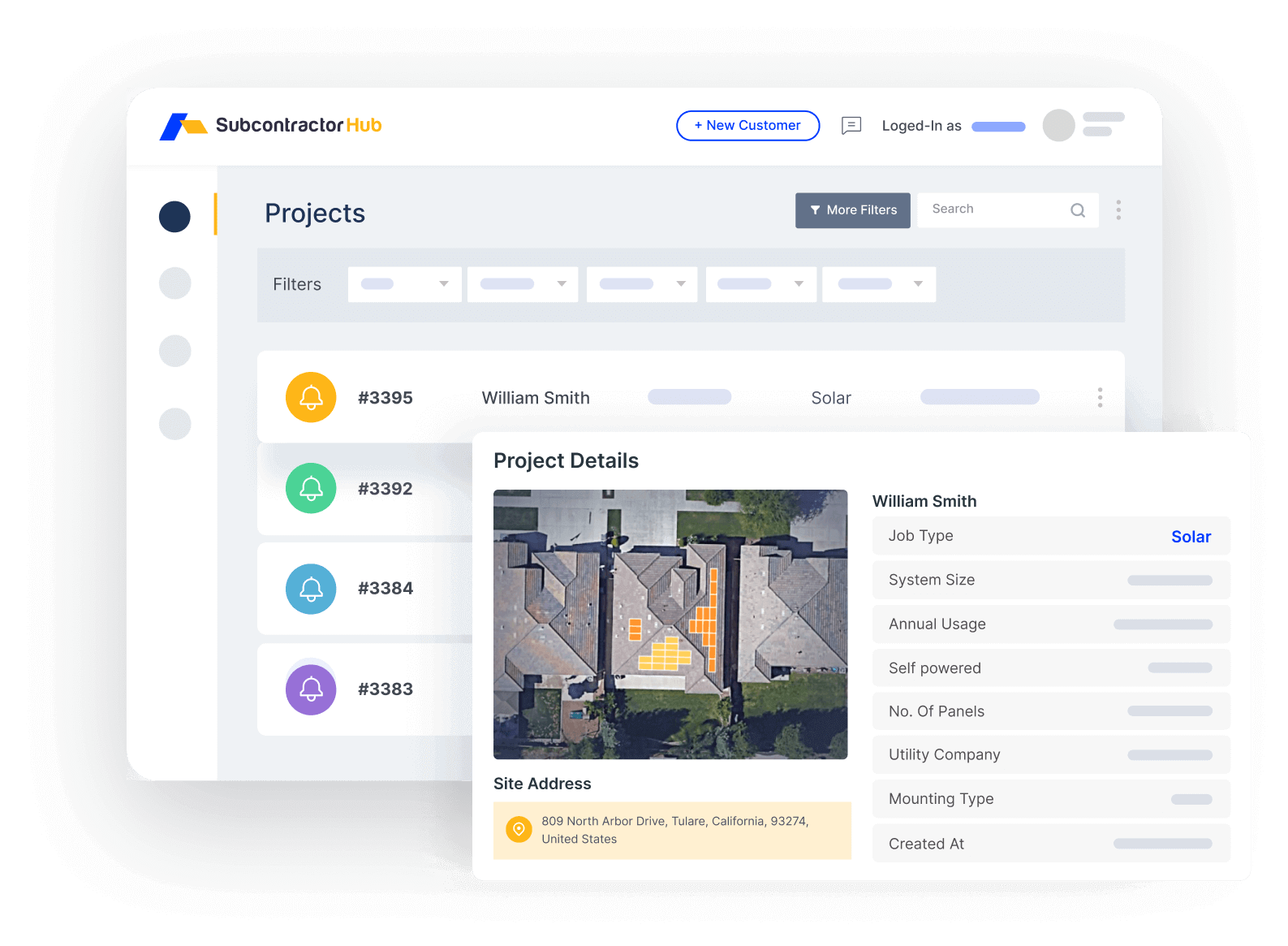
SubcontractorHub project management: every job milestone visible from permit to final billing
2. Buildertrend — Residential Construction PM
Strengths: Robust project management built for homebuilding and residential construction. Strong scheduling, client communication tools, and a polished client portal. Adaptable for contractor use with solid scheduling and document management.
Limitations: Built primarily for general contractors and homebuilders, not installation trades. No native proposal-to-project handoff for solar, roofing, or HVAC workflows. Milestone billing exists but is not designed around the installation lifecycle. Starting at $199+/month, it can be expensive relative to its fit for pure installation contractors.
3. Procore — Enterprise Construction PM
Strengths: Enterprise-grade platform built for commercial general contractors. Extremely powerful for large multi-contractor projects with complex document management, RFI tracking, and compliance requirements.
Limitations: Heavy and expensive for residential installation contractors. Designed for commercial GC workflows — not the permit-equipment-crew-inspect cycle of a solar or roofing operation. Custom pricing typically puts it out of reach for the contractor segment, and the implementation overhead is significant. Best suited for enterprise commercial contractors, not the installation trades.
4. Jobber — Field Service Job Management
Strengths: Well-designed for simple job tracking, scheduling, and dispatch. Good mobile app, approachable pricing at around $69/month, and strong invoicing tools for field service businesses.
Limitations: Not built for multi-week installation project lifecycles. There is no native permit tracking, no milestone billing tied to project stages, and no proposal-to-project handoff. Contractors who grow beyond simple same-day jobs typically outgrow Jobber within 12–18 months and end up layering in additional tools.
5. Monday.com / Asana — Generic PM Tools
Strengths: Flexible, widely used, and free at the entry level. Teams that invest months in configuration can build out contractor-adjacent workflows.
Limitations: Require full customization for contractor workflows and still lack contractor-specific features after the build-out: permit tracking, equipment ordering, proposal handoff, and billing integration are not available natively. Contractors who go this route end up with a PM tool plus three other tools anyway — the same four-tool problem they started with, now with a custom Monday board on top of it. Pricing ranges from free to $200+/month depending on team size and features.
Contractor project management software built for installation connects the signed proposal to every milestone — permit, equipment delivery, install, inspection, and final billing.
Proposal-to-Project: Why the Handoff Matters
The most expensive moment in a contractor's workflow is the handoff from sales to operations. A rep closes a deal in the CRM. A project manager gets a text message or an email saying “new job, here's the address.” The PM opens a spreadsheet and starts re-entering everything the rep already captured: customer name, address, job scope, equipment specs, special notes. Meanwhile, the customer is already wondering when their project starts.
When the project scope comes directly from the signed proposal — as it does in SubcontractorHub — there are no scope disputes, no re-entry errors, and billing matches exactly what the customer agreed to. The PM doesn't need to track down the original quote. The customer doesn't get surprised by a number that doesn't match what they signed.
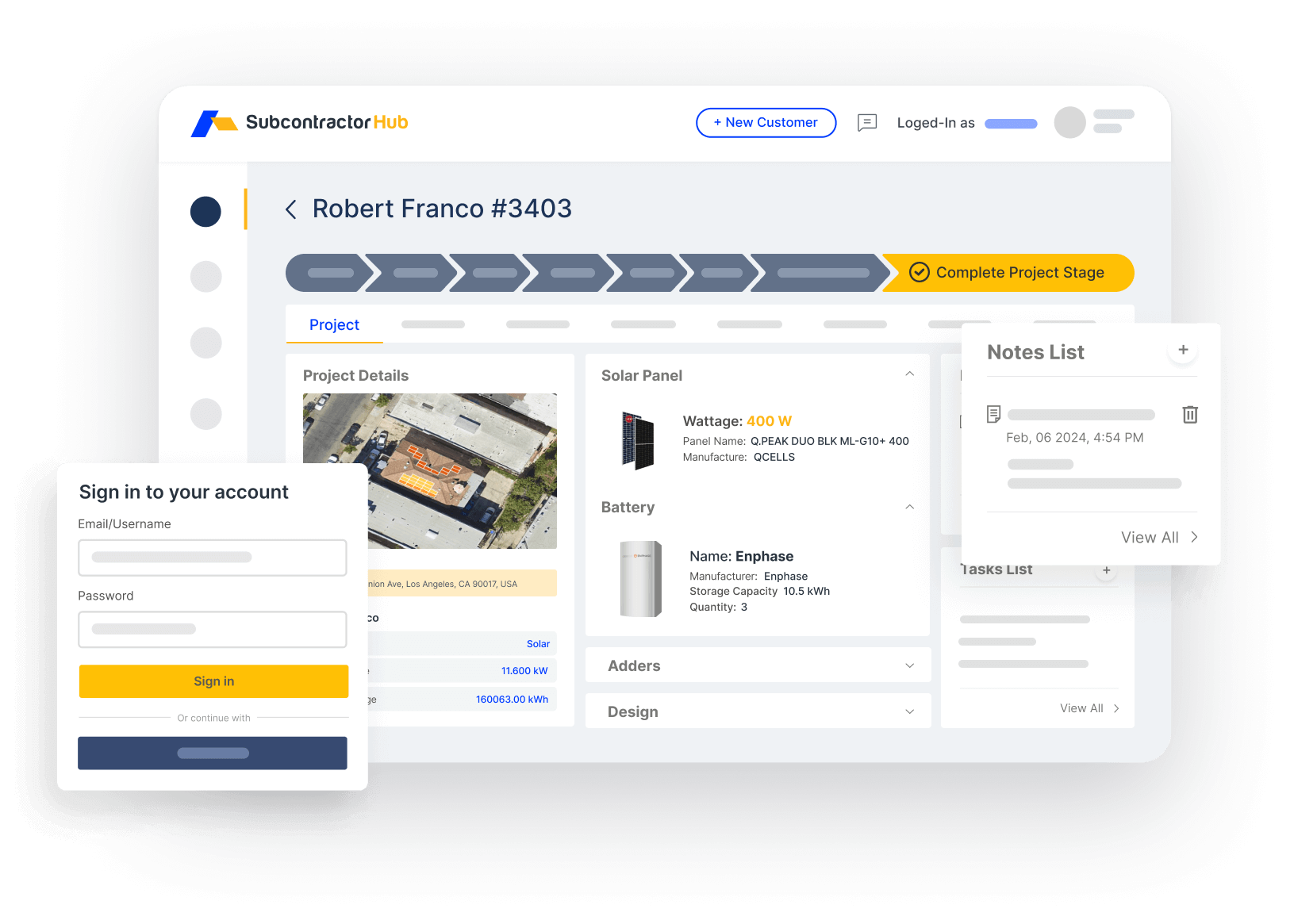
Sales Velocity CRM: every closed deal passes its full context to the PM module — no re-entry, no lost data
Sales Velocity CRM handles the pre-sale pipeline. The moment a rep marks a proposal as won, the project record is created automatically with all customer data, job scope, and proposal notes intact. The PM picks up from there — permit filing, equipment ordering, crew scheduling — without ever touching the original sales record. The whole workflow runs in SubcontractorHub's project management platform, visible to the owner, the PM, and the crew in real time.
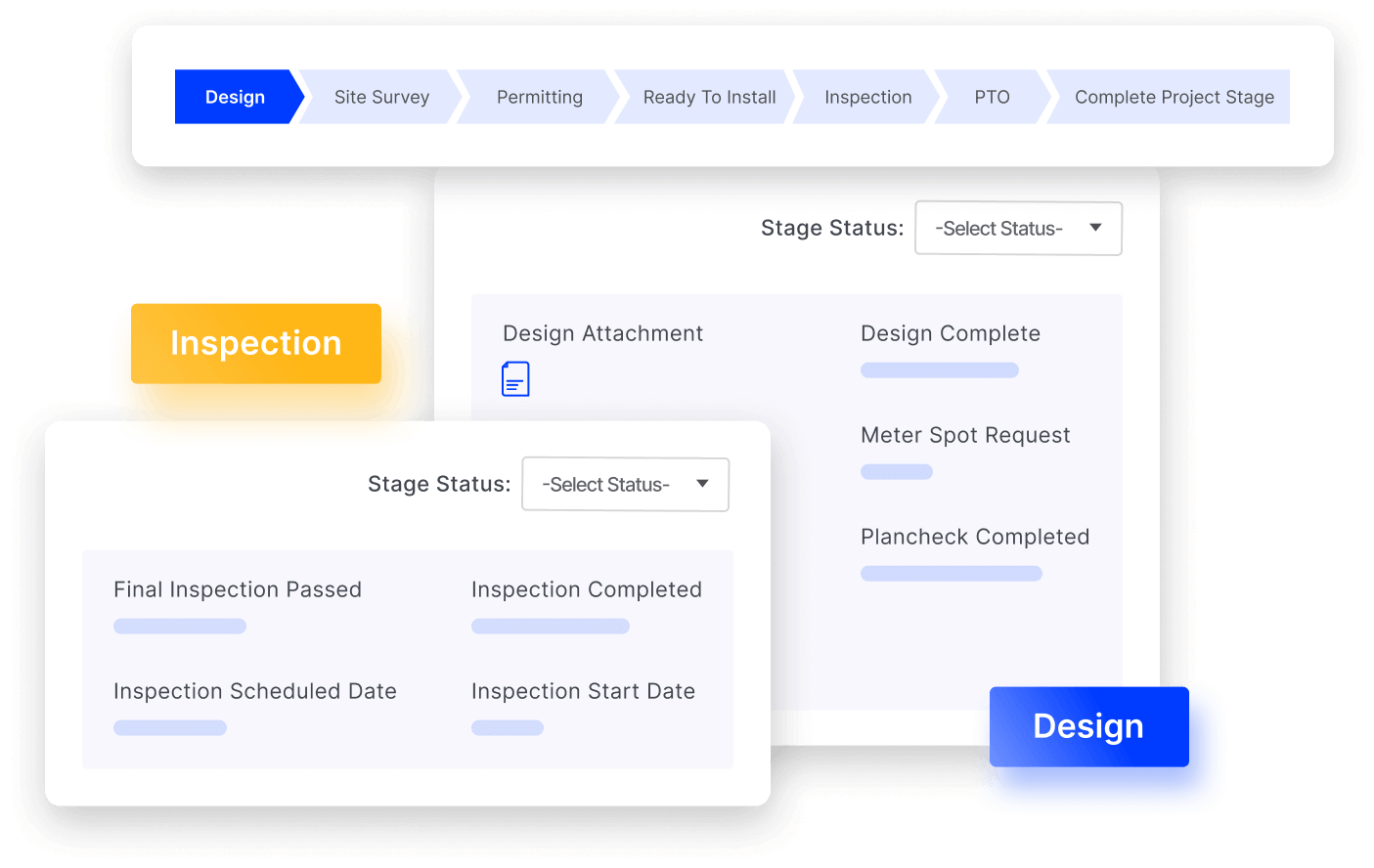
Crew scheduling and milestone dispatch: every active job tracked from permit to final inspection
For contractors running multiple trades, the same connected workflow applies across every job type. Roofing contractors adding solar don't need a second PM system. HVAC contractors moving into service agreements don't need a separate field service tool. The platform scales with the business.
Project Management for Commercial HVAC, Mechanical & Electrical Contractors
Commercial MEP work breaks residential-first tools in a predictable place: the paperwork between the subcontractor and the general contractor. A 12-week mechanical package on a commercial build is not run like a same-day service call. Payment depends on an approved pay application, a slice of every invoice is held back as retainage, and extra work without a signed change order usually goes unpaid. If you bid commercial HVAC, mechanical, or electrical work, check these six workflows before you check anything else:
| Workflow | What the software should do | What it costs you when it's missing |
|---|---|---|
| Schedule of values & progress billing | Break the contract into line items and bill percent complete each period (AIA G702/G703 style) | Pay apps rebuilt in spreadsheets every month; rejected or late applications |
| Retainage | Track the 5–10% held on every invoice and when it is released | Retainage left uncollected at closeout. Model it with the retainage calculator |
| Change orders | Price, send, and get signatures on changes before the work starts, then roll them into the contract value | Unbilled extras. Price them with the change order calculator |
| Submittals & RFIs | Log equipment submittals and RFIs with dates and responses attached to the job | Equipment released late; disputes about who approved what |
| Equipment & long-lead procurement | Tie rooftop units, switchgear, and controls orders to job milestones | Crews scheduled before equipment lands |
| Certified payroll | Export hours by job and classification for prevailing-wage work | Held payments on public and Davis-Bacon jobs |
The GC will almost always run Procore or a similar platform. That doesn't mean the sub should run its own business inside the GC's system. The common setup is to share documents in the GC's portal and keep estimating, job costing, change orders, and billing in your own platform. See how that works for commercial HVAC contractors and mechanical contractors, or start from the HVAC contractor software overview.
Final Recommendation
If you're a solar, roofing, or HVAC installation contractor running multi-week jobs with permits, equipment orders, crew scheduling, and milestone billing — and you're currently managing that across a CRM, a spreadsheet, a text thread, and an invoicing tool — the answer is SubcontractorHub. It's the only platform built end-to-end for the installation contractor workflow, where the proposal flows into project scope and project milestones trigger billing automatically.
If you're a residential general contractor building homes and need deep scheduling and client communication tools, Buildertrend is worth evaluating. If you're an enterprise commercial GC with complex compliance and multi-contractor coordination requirements, Procore is the category leader. If you run simple same-day field service jobs and billing is straightforward, Jobber will serve you well at a low entry price.
See the Full Contractor Project Management Workflow
If you're running a solar, roofing, or HVAC operation and tired of managing jobs across disconnected tools, SubcontractorHub was built for exactly this problem. Book a demo and we'll walk you through a live job — from signed proposal through permit, crew scheduling, inspection, and milestone billing — in under 30 minutes.
Book a DemoFrequently Asked Questions
What is the best project management software for contractors in 2026?
SubcontractorHub is the best contractor project management software for installation contractors — solar, roofing, and HVAC — who need a single platform covering proposal-to-project handoff, permit tracking, crew scheduling, milestone billing, and multi-week job management. Buildertrend is a strong choice for residential construction-adjacent work. Procore leads for enterprise commercial contractors with complex GC workflows.
What features should contractor project management software have?
Contractor project management software should handle multi-stage job tracking from signed contract to project completion, permit and inspection milestone tracking, crew and equipment scheduling, customer-facing milestone updates, a direct connection to proposals, and billing tied to project stages. Tools that lack any of these features force contractors to run parallel systems that inevitably fall out of sync.
Why don't generic PM tools like Asana or Monday work for contractors?
Generic PM tools require months of customization and still lack contractor-specific features: permit tracking, equipment ordering, proposal-to-project handoff, and billing integration. Contractors who build out Monday or Asana for their workflow end up with a PM tool plus three other tools anyway — CRM, invoicing, and a text thread with the crew. The customization cost and ongoing maintenance are rarely worth it compared to a purpose-built platform.
Can contractor PM software handle multiple trades in one platform?
Yes. SubcontractorHub manages solar, roofing, and HVAC installation projects in one system — critical for companies that operate across multiple verticals or are adding a second trade. Most contractor PM tools are single-trade or require separate logins for each line of business, which creates data silos and forces operations teams to manage parallel systems.
How does contractor project management software improve cash flow?
Milestone billing tied to project stages means invoices go out when work is completed, not whenever someone remembers. Billing each stage as it is completed shortens the gap between doing the work and getting paid, and on a multi-week job that gap is usually the contractor's largest cash-flow drain. When the PM system automatically triggers billing at each milestone, the revenue cycle accelerates and the finance team stops chasing project managers for job status.
How much does contractor project management software cost?
Pricing models vary widely: some vendors charge per user, some by annual construction volume, and entry prices change often, so check each vendor's current price sheet. SubcontractorHub charges a flat monthly fee per module with unlimited users, plus $35 per signed contract, so the bill does not rise when you add office staff or crew. The ROI is typically measured in faster payment cycles, fewer missed milestones, and the hours recovered when your team stops re-entering data between disconnected tools.
What project management software do commercial HVAC, mechanical, and electrical contractors use?
Commercial MEP subcontractors need what residential tools usually skip: submittal and RFI tracking, a schedule of values with AIA G702/G703-style progress billing, retainage tracking, signed change orders before extra work starts, and certified payroll on prevailing-wage jobs. Procore dominates on the general contractor side, but many MEP subs run their own job management and billing on a separate platform and share documents with the GC. SubcontractorHub supports commercial HVAC, mechanical, and electrical contractors with proposal-to-project handoff, change orders, and milestone and progress billing in one system.
Related Resources
- SubcontractorHub Project Management Platform
- Roofing Project Management Software
- HVAC Project Management Software
- Solar Project Management Software
- Contractor Management Software
- Best Solar Project Management Software
- Roofing Project Management Software Guide
- Best HVAC Project Management Software
- Best Contractor Job Tracking Software in 2026
Contractor Software, Project Management, Solar, Roofing, HVAC