
Best HVAC Job Costing Software for Contractors in 2026
Published June 24, 2026 · Updated August 2026 · 12 min read
Most HVAC contractors know their revenue. Few know their actual profit per job. Job costing software closes that gap — tracking material costs, labor hours, subcontractor invoices, and permit fees against what you quoted, so you can see which jobs made money and which quietly ate into your margin.
This guide covers the best HVAC job costing software for installation contractors in 2026 — the businesses running a sales process, quoting system replacements, and managing multi-week installation projects. If you're running a pure service-call shop focused on repairs and maintenance, the platform ranking here may differ from your use case.

HVAC job costing software connects the proposal estimate to actual installation costs — so you know your profit margin before the invoice goes out.
What to Look for in HVAC Job Costing Software
Not all job costing tools are built for the same business model. Installation contractors should prioritize these capabilities:
- Proposal-to-actuals connection: your quote should become the cost baseline automatically — not require manual re-entry into a separate costing tool
- Itemized material and labor tracking: line-by-line visibility into equipment costs, subcontractor fees, permits, and technician hours per job
- Pre-job vs. actual cost comparison: see where you over- or under-estimated before the job is closed and invoiced
- Profit margin by job, rep, and job type: so you know which product lines and sales reps are actually making the business money
- Integration with project management: so material orders, permit costs, and crew changes are captured as they happen — not reconstructed after the fact
- Financing cost visibility: dealer fees from GoodLeap, Sungage, or LightReach affect job margin — your costing tool should account for them
Installation contractors running HVAC contractor software already connected to their sales pipeline have a structural advantage: estimates flow to projects, and actuals are captured at every stage. Platforms designed for service-call dispatch often lack this depth.
SubcontractorHub
See How Top Contractors Close More Jobs
AI proposals, sales pipeline, and project management — all in one platform.
- ✓AI-powered proposals in the field
- ✓CRM built for contractor sales
- ✓Project tracking from sale to install
30 minutes. No commitment.
HVAC Job Costing Software Comparison (2026)
| Platform | Job Costing Depth | AI Proposals | Pipeline CRM | Install Project Mgmt | Starting Price |
|---|---|---|---|---|---|
| SubcontractorHub | Estimate-to-actuals via proposals + project mgmt | Yes — EasyQuote | Yes — Sales Velocity | Yes — multi-stage | Contact for pricing |
| ServiceTitan | Deep — Pricebook Pro + job P&L | Partial | Yes | Yes | $245–$400+/tech/mo |
| Simpro | Deep — best for commercial project billing | No | Limited | Yes | Contact for pricing |
| Housecall Pro | Profit Tracker (Essentials+) | No | Basic | No | From $149/mo |
| Jobber | Expense tracking only | No | Basic | No | From $49/mo |
The 5 Best HVAC Job Costing Software Options in 2026
1. SubcontractorHub — Best for Installation Contractors
SubcontractorHub's approach to job costing starts at the proposal. EasyQuote generates an itemized proposal on-site — equipment, labor, permits, financing — and that estimate becomes the cost baseline for the installation project automatically when a deal closes. Material orders, permit fees, and crew milestones then accumulate against that baseline through HVAC contractor software project management.
Managers can see margin by rep, by job type, and by month without exporting to a spreadsheet. Financing dealer fees (GoodLeap, Sungage, LightReach) are tracked inside the pipeline. For contractors who sell and install, this is the most integrated cost-tracking workflow available in 2026.
Best for: HVAC installation contractors running D2D or inside sales with multi-week install projects.
Not ideal for: Pure service-call shops doing same-day repairs.
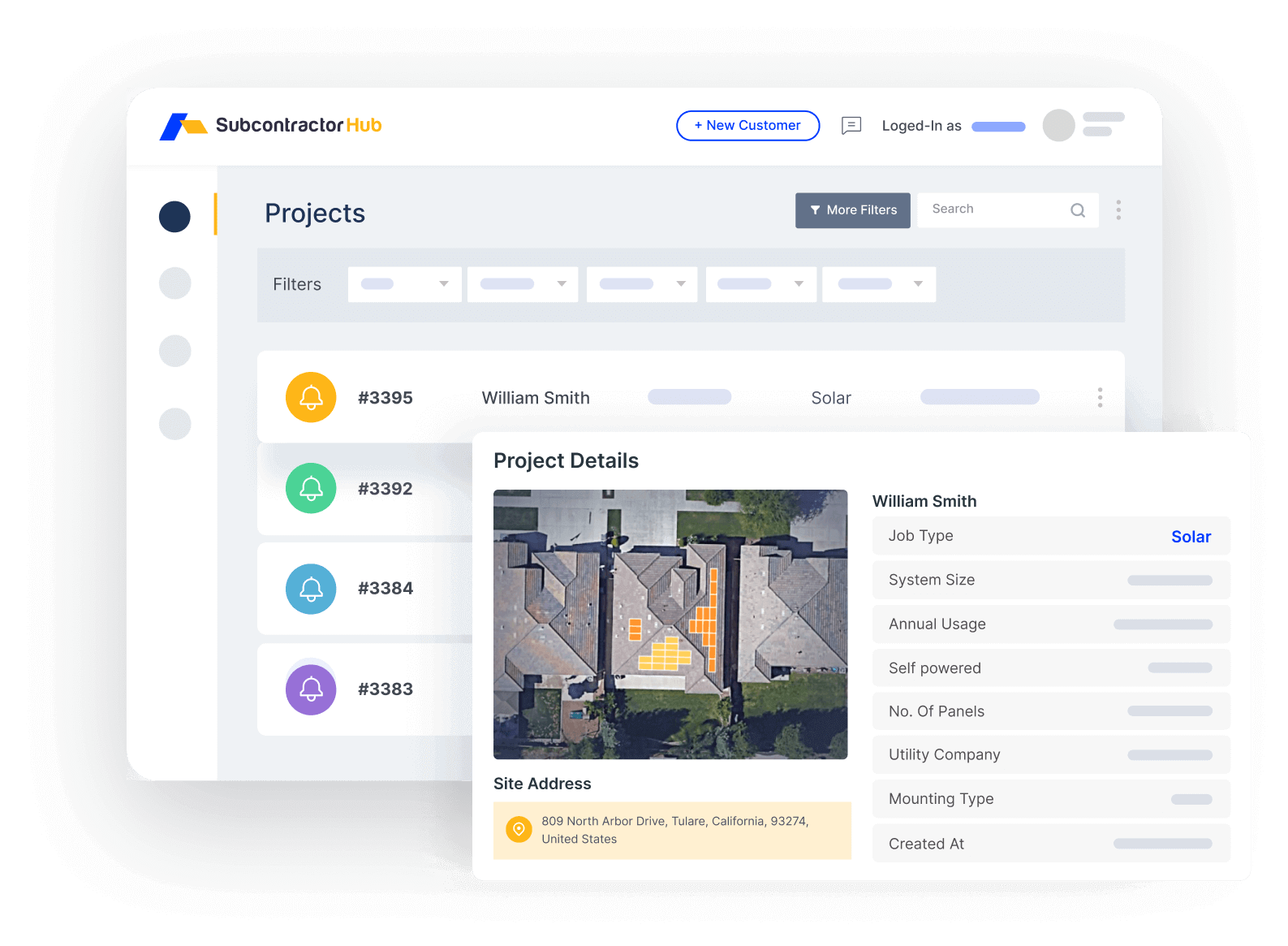
SubcontractorHub tracks actual installation costs against the proposal estimate — so profit visibility is built in, not bolted on.
2. ServiceTitan Pricebook Pro — Best for Large HVAC Shops
ServiceTitan has the deepest flat-rate pricing and job costing engine in the HVAC industry. Pricebook Pro gives large shops structured pricing catalogs, technician revenue tracking, and job P&L visibility. If you're running 20+ techs at $5M+ in annual revenue and need enterprise-level reporting, ServiceTitan is the most capable platform on this list.
The tradeoff: ServiceTitan costs $245–$400+ per technician per month, plus a mandatory onboarding investment of $15,000–$25,000. For businesses under $3M in revenue, the ROI rarely justifies that entry cost.
Best for: HVAC shops at $5M+ revenue with large tech teams needing full ERP-level job costing.
Not ideal for: Smaller contractors or businesses primarily running installation sales (vs. service calls).
3. Simpro — Best for Commercial HVAC Project Billing
Simpro is purpose-built for project-based work — commercial HVAC, mechanical, and multi-trade contractors where billing complexity requires milestone invoicing, purchase orders, and inventory integration. If you're doing commercial HVAC with multi-month projects, Simpro's job costing depth rivals ServiceTitan at a lower per-user cost.
Best for: Commercial HVAC contractors with complex project billing and multi-trade workflows.
Not ideal for: Residential installation contractors who need a sales pipeline and AI proposals.
4. Housecall Pro — Best for Small Residential Shops
Housecall Pro's Profit Tracker (available on the Essentials plan at $149/month) gives residential HVAC shops a basic job margin view. It's not as granular as ServiceTitan or SubcontractorHub, but it's accessible for businesses under $1M in revenue that need simple profitability tracking without an enterprise price tag.
Best for: Small residential HVAC service shops under $1M revenue.
Not ideal for: Installation contractors with a sales process or multi-week install projects.
5. Jobber — Basic Expense Tracking Only
Jobber allows you to add expenses per job and see a basic P&L view, but it's not a job costing platform in the traditional sense. If you're on Jobber and your primary need is now job profitability tracking at the installation level, it's worth evaluating whether a platform change makes more sense than adding expense workarounds.
Best for: Simple service-call businesses that need basic expense logging.
Not ideal for: Contractors with multi-phase installations or a structured sales process.
Why Installation Contractors Need Different Job Costing Tools
The fundamental problem for HVAC installation businesses is the gap between where costs are estimated (the proposal) and where they accumulate (the installation project). Most service-call platforms manage these as separate records — a quote and a job — with no automatic handoff between them.
That gap is where margin gets lost. A sales rep quotes $2,400 for a specific condenser. The install crew orders a different unit at $2,800 because the original wasn't in stock. Without connected job costing, nobody catches the $400 variance until the books close at month end — and by then it's happened across 20 jobs.
The best HVAC job costing software for installation contractors eliminates this gap by connecting proposals directly to HVAC project management. When a job closes, the quoted line items become the cost baseline. Material substitutions, permit delays, and crew changes are logged against that baseline — so managers see variance in real time, not in the post-mortem.
Curious what platforms in this category actually cost? See our breakdown of HVAC software pricing in 2026.
Commercial HVAC Job Costing: What Actually Changes
Almost every "best HVAC job costing software" list is written for residential service work — one truck, one address, one invoice. Commercial HVAC breaks that model in five specific ways, and a platform that handles residential costing well can still be unusable on a $400,000 rooftop replacement.
1. You bill in progress, not on completion. Commercial work is billed monthly against percentage complete, usually on AIA G702/G703 forms. Your costing system has to report cost-to-date against the schedule of values, because that is what the general contractor and the architect are approving. A platform that only knows "job open" and "job invoiced" cannot produce that number.
2. Retainage distorts job profit. A GC typically withholds 5–10% until closeout, so a job can look profitable on paper while the cash sits in someone else's account for months. Track retainage as a separate receivable rather than netting it into margin — our retainage calculator shows what a standard withholding does to job cash flow, and the retainage guide covers release timing by contract type.
3. Change orders re-baseline the job. On residential work a change order is a rare upsell. On commercial work it is routine, and unpriced field directives are the single most common way commercial HVAC margin disappears. The costing system has to version the baseline so that variance is measured against the approved scope, not the original bid. Price them before the crew builds them — the change order calculator handles markup, and overhead recovery on added scope.
4. Costs roll up across phases and subcontractors. A commercial mechanical job carries sheet metal, controls, insulation, crane rental, and startup — often with two or three subs underneath you. You need cost codes per phase and per building, plus subcontractor commitments tracked against invoices, or the rollup will not reconcile.
5. Labor burden is higher and sometimes legally fixed. Public and institutional work carries prevailing-wage and certified-payroll requirements, so your loaded labor rate is set by statute rather than by your own averages. Cost your estimates at the burdened rate from the start with the labor burden calculator. If most of your revenue is commercial, start with commercial HVAC software built around projects rather than service calls — and if you also run a residential service division, check that one platform can carry both cost models before you consolidate.
HVAC Job Costing Software: Pricing Overview
| Platform | Starting Price | Job Costing Tier | Onboarding Cost |
|---|---|---|---|
| SubcontractorHub | Contact for pricing | Included (proposal + project connected) | ~1–2 weeks, no separate fee |
| ServiceTitan | $245–$400+/tech/mo | Pricebook Pro (add-on) | $15,000–$25,000 |
| Simpro | Contact for pricing | Included (all plans) | Setup fee required |
| Housecall Pro | $149/mo (Essentials) | Profit Tracker (Essentials+) | None |
| Jobber | $49/mo | Expense log only | None |
Real-Time Job Cost Tracking vs End-of-Job Reporting
Most platforms in this category can tell you what a job cost after it closes. Far fewer let you track job costs in real time, while the crew is still on site and the numbers can still change. That distinction matters more than any feature list: a margin report delivered three weeks after final inspection is an accounting record, not a management tool.
When you evaluate HVAC job cost tracking, ask how quickly each of these reaches the job ledger:
- Labor hours — do technician clock-ins post against the job the same day, or are they batched into a weekly payroll export?
- Material costs — can a supply-house invoice or purchase order be attached to the job when it is issued, or only after it clears accounting?
- Change orders — does approved extra work update the budget baseline automatically, or does someone have to remember to revise it?
- Equipment and subcontractor costs — are these tracked per job, or absorbed into overhead where they quietly distort every margin number you look at?
Material Cost Control and Procurement
On installation work, material is usually the second-largest cost line after labor and the one most likely to drift. Procurement features vary widely: some platforms only log a material cost as a typed number, while others generate the purchase order, hold it against the job budget, and flag the variance when the supply house bills a different price than the estimate assumed. If controlling material costs is the reason you are shopping, confirm that purchase orders and vendor bills post to the same job record your proposal created — otherwise you are reconciling two systems by hand. Our change order calculator shows how quickly unpriced scope changes erode a job that looked profitable at bid.
Is HVAC Pricing Software the Same Thing?
Not quite, and the difference trips up a lot of buyers. HVAC pricing software sets what you charge — flat rate books, markup rules, and quote generation before the work is sold. Job costing software measures what the work actually cost you after it is sold. You need both, and they should share one dataset: pricing that never gets compared against real costs is guesswork that repeats itself. If your immediate problem is setting rates rather than measuring margin, start with our guides to HVAC flat rate pricing and how to price HVAC jobs, then come back to job costing to close the loop.
The Bottom Line
The best HVAC job costing software depends entirely on your business model:
- Installation contractors (D2D sales, system replacements, multi-week projects): SubcontractorHub connects proposals to project actuals in one platform — this is the closest thing to true estimate-to-actuals job costing for installation businesses.
- Large service & installation shops ($5M+, 20+ techs): ServiceTitan Pricebook Pro is the most capable, but the cost and onboarding investment are significant.
- Commercial HVAC with project billing: Simpro handles multi-phase project costing better than any residential-focused platform.
- Small residential shops: Housecall Pro Profit Tracker is the easiest entry point for basic margin visibility.
If you're running an installation business and job costing feels disconnected from your proposals and project workflow, the fix is usually a platform change — not another add-on tool. See what HVAC job costing software built for installation contractors looks like in practice.
See How SubcontractorHub Handles Job Costing
Book a demo and see how proposals connect to project actuals — so you know your margin on every HVAC installation.
Book a Free DemoFrequently Asked Questions: HVAC Job Costing Software
What is HVAC job costing software?
HVAC job costing software tracks estimated vs. actual costs for every job — materials, labor, permits, subcontractors — so you can see profit per job, not just revenue. For installation contractors, the best platforms connect this tracking directly to proposals and project management.
How is HVAC job costing different from invoicing?
Invoicing tells you what you billed. Job costing tells you what you actually spent versus what you estimated — so you know if the job was profitable. Without job costing, contractors often discover a job lost money only after the invoice is sent.
Does HVAC job costing software integrate with QuickBooks?
Most major HVAC platforms — ServiceTitan, Housecall Pro, Jobber, Simpro — offer QuickBooks integration. SubcontractorHub connects proposals, project actuals, and financing data inside the platform. Check the integrations page for current QuickBooks sync details.
Can small HVAC contractors use job costing software?
Yes — even businesses with 3–5 techs benefit because the average installation ticket is $8,000–$15,000. A 10% cost overrun is $1,000 of lost profit per job. SubcontractorHub and Housecall Pro Profit Tracker are the most accessible options for smaller teams.
What is the best HVAC job costing software for installation contractors?
For installation contractors in 2026, SubcontractorHub is the top choice because it connects proposals to project actuals in one platform. ServiceTitan has the deepest pricing engine for large shops. Simpro is best for commercial HVAC. See the full comparison above.
How is commercial HVAC job costing different from residential?
Commercial work adds five requirements residential costing does not have: progress billing against a schedule of values (usually AIA G702/G703), retainage of 5–10% held until closeout, frequent change orders that re-baseline the approved scope, cost codes that roll up across phases, buildings, and subcontractors, and prevailing-wage labor burden on public jobs. A platform that only tracks a quote and one invoice cannot report cost-to-date against percentage complete — the number a general contractor approves each month. See the commercial section above for how to evaluate for this.
Related guides:
- HVAC Contractor Software — platform overview
- HVAC Platform Overview
- Best HVAC Software for Contractors in 2026
- How Much Does HVAC Software Cost?
- Best HVAC Estimating Software in 2026
- Best Commercial HVAC Software in 2026 — BuildOps, ServiceTrade, Simpro compared
- Commercial HVAC Software — project-based costing and billing
- Contractor Labor Burden Calculator — True Cost of a Field Employee
- Heat Pump vs. Gas Furnace Calculator — 10-Year Cost Comparison